














The “Release App Provisioning Profile Needs to Be Configured” error can appear when generating an iOS release build for your BuddyBoss App if the required Apple provisioning profile is no longer valid or properly configured.
To fix this error, check the provisioning profile associated with your app and create a new profile if the existing one has expired. Apple provisioning profiles are typically valid for a limited period and may need to be regenerated before you can successfully create another release build.
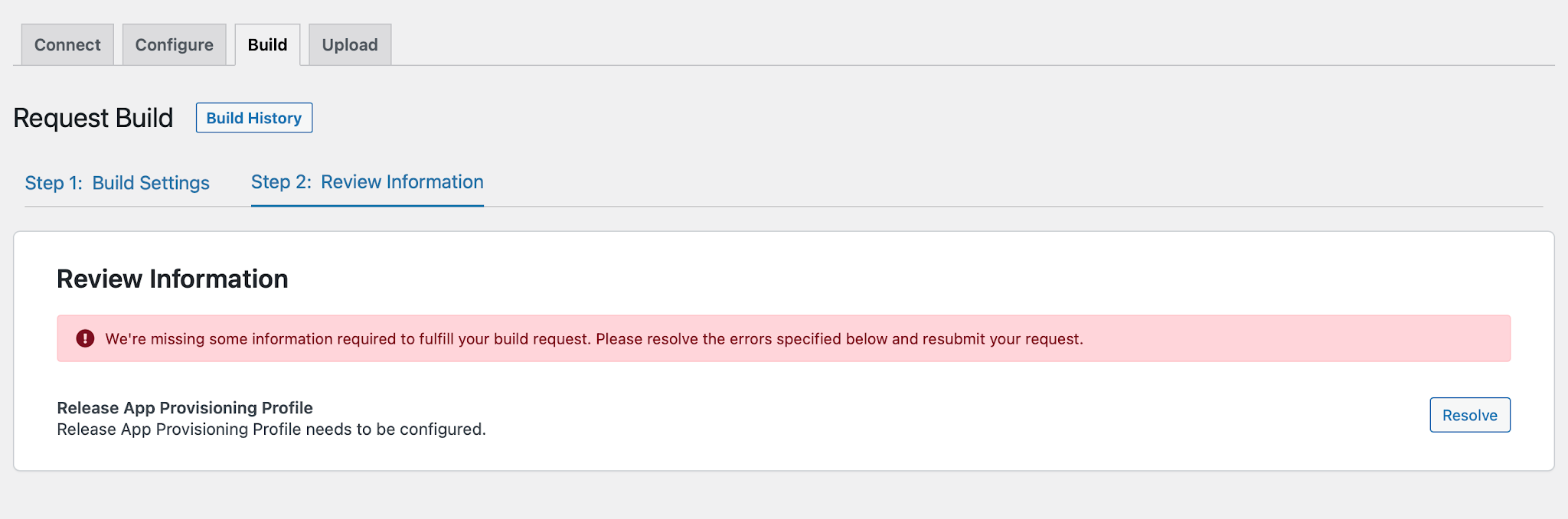
This can occur when the Apple Provisioning Profile associated with your app has expired and needs to be recreated.
Create a New Provisioning Profile
If your provisioning profile has expired, create a new provisioning profile for your app. Once the new profile is configured, return to BuddyBoss App > Build and submit your release build request again.
Note: Apple Provisioning Profiles are valid for a limited period. If your provisioning profile has expired, you will need to recreate it before generating a new release build.