















Last updated: August 2026 · 14 minute read
If you’re comparing membership platforms, you already know the real decision isn’t “which one has the most features.” It’s which one still makes sense once you’re actually making money, when transaction fees start eating into real revenue, when you need your community and your content in one place instead of three, and when switching later would mean rebuilding from scratch.
This guide compares nine platforms creators and businesses actually use to run paid memberships in 2026, with real, independently verified pricing for each, not marketing page headlines.
TLDR: If you want zero platform fees at meaningful revenue and full ownership of your data, BuddyBoss, MemberPress, and Paid Memberships Pro are the strongest picks, all self-hosted on WordPress. If you’d rather not manage hosting, Kajabi is the strongest fully managed all-in-one. If you’re starting with no budget at all, Paid Memberships Pro’s free tier costs nothing.
- BuddyBoss — Full community and course suite, no plugin stacking required
- MemberPress — The deepest content protection on WordPress
- Paid Memberships Pro — The genuinely free starting point
- Patreon — Where your audience already is
- Podia — Courses, memberships, and downloads in one dashboard
- Skool — Simplest setup with built-in gamification
- Thinkific — Course-first platform, membership secondary
- Mighty Networks — Community-first with native live streaming
- Kajabi — Complete marketing stack built around membership
BuddyBoss: Full Community and Course Suite, No Plugin Stacking Required

BuddyBoss is a self-hosted community and course platform built on WordPress, and as of August 2026, it’s the only platform on this list that combines native community, courses, and memberships into one purchase without an ongoing revenue share on any of them.
The typical setup looks like this: a business runs its main site on WordPress already, adds BuddyBoss, and gets member profiles, an activity feed, groups, and forums for the social layer. On top of that, native Memberships now handle gating, so a coach can put an entire content library behind a paid tier without touching a second plugin. Native Courses handle structured curriculum with drip scheduling, so the same coach can run a cohort program where lessons unlock week by week, inside the same login as the community itself.
This matters most for anyone who previously had to run BuddyBoss alongside a separate membership plugin and a separate LMS, three annual licenses, three update cycles, three places something can break. That’s no longer necessary unless you specifically want to keep an existing LearnDash or MemberPress setup, both of which still integrate cleanly if you’d rather not migrate.
Pricing: $99/year (Start), $199/year (Launch), $349/year (Scale) | 0% transaction fees on Launch and Scale; Start carries 2.9%, but only on sales through the native Memberships and Courses add-on specifically

Pros:
- Community, courses, and memberships natively combined, meaning a business that would previously have paid for and maintained three separate WordPress plugins now runs all three from a single system, with one login, one update cycle, and one place where a member’s access, progress, and profile all live together instead of being scattered across disconnected tools.
- 0% platform transaction fees on Launch and Scale, at any revenue level, which is a fixed cost rather than a percentage that grows alongside your business. A creator doing $2,000 a month and one doing $50,000 a month pay the exact same platform fee on Launch or Scale: none.
- Full data ownership since everything runs on infrastructure you control, meaning your member list, your content, and your pricing structure can never be changed by a vendor’s policy update, and can be exported or migrated on your own timeline rather than someone else’s.
- Gamification included on Scale, with points, badges, and leaderboards built directly into the same system as the community and course content, rather than requiring a separate plugin to bolt on engagement mechanics.
- Optional branded mobile app from $499/year, letting members access the community under your own name in the App Store and Google Play, a genuinely lower entry point than most competitors charge for the same white-label capability.
Cons:
- Requires WordPress hosting, typically $20 to $50/month for real membership traffic, which is a real, ongoing infrastructure cost you’re responsible for managing, unlike a SaaS platform where hosting is invisible and bundled into the subscription price.
- No native live streaming or cohort-scheduling tools the way a dedicated community SaaS platform offers, meaning a business that runs frequent live sessions as a core part of its membership will likely need to pair BuddyBoss with a separate tool like Zoom rather than finding that functionality built in.
- Real setup curve compared to a fully managed platform, since you’re configuring a WordPress site rather than clicking through a guided SaaS onboarding flow, though this is a one-time cost during setup rather than something you pay for every month afterward.
BuddyBoss makes the most sense for a business that already has, or is willing to build, some comfort with WordPress, and that’s planning to run the membership for years rather than months. The math favors it most clearly once monthly revenue reaches a point where a competitor’s percentage fee would cost more than the fixed annual license, and it’s the strongest single choice for anyone who specifically wants community, courses, and paid access managed as one connected system rather than assembled from separate tools.
MemberPress: The Deepest Content Protection on WordPress
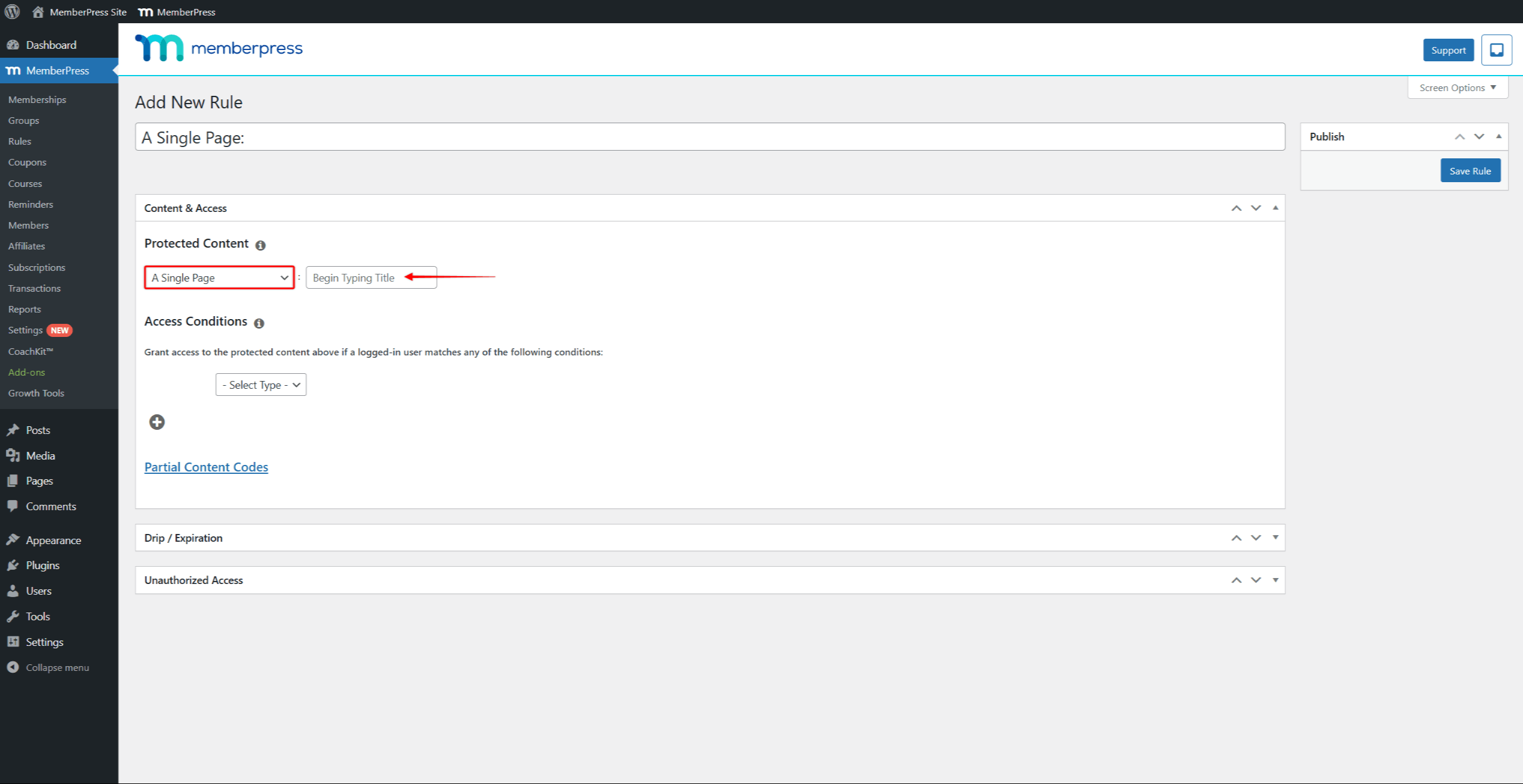
MemberPress is built around one job: deciding exactly who can see exactly what, at the level of an individual post, a category, or even part of a single page. Where BuddyBoss leads with community and adds membership on top, MemberPress leads with access control and leaves community to whatever else you’re running alongside it, often BuddyBoss or BuddyPress specifically, which it integrates with directly.
In practice, this is the plugin site owners reach for when the membership logic itself is complicated: multiple tiers with different content visibility, drip schedules tied to signup date rather than a fixed calendar, corporate or group accounts where one parent login manages several linked members. The built-in course tools cover the LMS side reasonably well on their own, quizzes, certificates, drip content, though sites that also want a full community layer typically pair it with something else rather than relying on MemberPress alone for that part.

Plans were renamed from the old Basic/Plus/Pro/Elite structure in 2026, alongside a real pricing change, so older reviews referencing those names are working from outdated numbers.
Pricing: $199.50/year intro (Launch, 4.9% transaction fee), $349.50/year intro (Growth, 0% fee), $499.50/year intro (Scale, 0% fee), all renewing at roughly double the introductory rate
Pros:
- The most granular content-protection rules of any option on this list, down to restricting part of a single post rather than only whole pages or categories, which matters for sites selling access to specific sections of content rather than entire resources at once.
- Native integrations with LearnDash, Elementor, and major email tools, meaning a site already invested in that specific stack can add membership gating without replatforming anything else it depends on.
- Growth and Scale both reach 0% transaction fees, so once a site moves past the entry tier, MemberPress stops taking any percentage of sales regardless of how much revenue flows through it.
- Corporate and group membership accounts available on higher tiers, a genuine B2B use case where one paying account manages access for multiple linked members, something not every platform on this list supports natively.
Cons:
- The entry Launch plan carries a real 4.9% fee, higher than nearly everything else on this list at any tier, which means testing MemberPress at low volume on Launch specifically costs more per sale than almost any competitor’s entry plan.
- Community features are limited on their own, so a site wanting real social features, activity feeds, groups, member-to-member interaction, typically pairs MemberPress with BuddyBoss rather than expecting MemberPress alone to deliver that layer.
- Every plan’s price roughly doubles at renewal, meaning the introductory number on the pricing page is not what you’ll actually pay in year two, and budgeting should account for the full renewal rate from the start.
MemberPress is the right choice for a site that already knows its access-control logic is genuinely complex, multiple tiers, partial content restrictions, group accounts, and either already has a community solution in place or doesn’t need one. It’s less suited to someone starting from scratch who wants community and membership handled by the same system, since that combination points more naturally toward BuddyBoss.
Paid Memberships Pro: The Genuinely Free Starting Point

Paid Memberships Pro has been around for over a decade, and its core plugin is genuinely free, not a limited trial, not a “free for 14 days” hook, a permanently usable free tier with unlimited membership levels and 0% transaction fees.
It’s a common choice for associations and smaller community sites specifically because of that starting cost: an organization can launch a real dues-paying membership structure, recurring billing included, without spending anything until they need a premium add-on or official support beyond the community forum. It has a documented, direct relationship with BuddyBoss too, BuddyBoss maintains an official integration where PMPro’s membership tiers automatically control access to BuddyBoss groups, forums, and private messaging, no manual syncing required.
The platform introduced a managed-hosting tier in 2026 for higher-traffic sites that would rather not handle their own server, a genuine option worth checking current pricing on directly since this is one of the more recently restructured platforms on this list.
Pricing: Free (self-hosted, core features, 0% transaction fees at every level), with paid add-ons for premium features and support; a managed-hosting tier was introduced in 2026 for higher-traffic sites
Pros:
- Genuinely free core plugin, not a time-limited trial, meaning a real membership business, recurring billing, unlimited tiers, and all, can launch and run indefinitely at zero platform cost before any paid decision becomes necessary.
- 0% transaction fees at every tier, including free, which is unusual, most platforms that offer a genuinely free entry point still take a percentage of sales made through it; PMPro doesn’t.
- Real, documented integration with BuddyBoss specifically, not a generic third-party connector but an officially maintained integration where membership tiers directly gate BuddyBoss groups, forums, and messaging automatically.
- Over a decade of active development and a large add-on ecosystem, giving it a level of stability and third-party extension support that newer membership tools haven’t had time to build.
Cons:
- Free tier has no official support beyond the community forum, meaning a technical issue on the free plan is resolved by searching existing community answers or asking publicly, not by contacting a support team directly.
- No community features of its own, so a site wanting activity feeds, groups, or member interaction needs to pair PMPro with something like BuddyBoss for that layer, similarly to how MemberPress is typically used.
- Recently restructured pricing means it’s worth confirming current plan details directly, since the shift toward a managed-hosting tier changed the plan lineup in 2026, and older reviews may describe a structure that no longer exists.
Paid Memberships Pro is the right starting point for anyone who wants to prove a membership model actually works, real recurring revenue, real member retention, before spending anything on the platform itself. It’s particularly well suited to associations and nonprofits with genuine dues-paying structures, and to any site already planning to run BuddyBoss for community, since the two are built to work together without manual setup.
Patreon: Where Your Audience Already Is

Patreon’s real advantage has nothing to do with features, it’s that a huge number of people already have an account and already understand how it works. For a podcaster, YouTuber, or artist whose audience exists on other platforms first, that familiarity removes a real barrier: no explaining what the platform is, no separate signup friction, just a link.
The tradeoff is that Patreon was built for supporting ongoing free content with paid bonuses, not for running a structured membership business. There’s no course delivery, no drip scheduling, no real community infrastructure beyond comments and a feed. It works best as a tip jar with tiers attached, not as the operating system for a membership business the way the WordPress options or Podia are built to be.
Pricing: Flat 10% platform fee (for creators who joined after August 2025), plus standard payment processing on top
Pros:
- Massive existing audience familiarity, meaning the platform itself creates almost no friction for a creator whose followers already use Patreon to support other people they follow, they arrive already knowing how to sign up and pay.
- Zero setup friction, with tiers and recurring billing running within minutes of creating an account, no course builder to configure, no community structure to plan out first.
- Works well as a lightweight complement to a primary income source elsewhere, functioning less as a full business platform and more as one additional, low-effort revenue stream layered on top of content you’re already producing.
Cons:
- Flat 10% fee, the highest on this list among non-WordPress options, and it never decreases with scale, meaning a creator earning $50,000 a year on Patreon pays exactly the same percentage as one earning $500, with no volume discount at any level.
- No courses, no drip content, no real community structure, so anyone whose membership is meant to deliver structured learning or genuine peer interaction will hit Patreon’s ceiling quickly and need additional tools regardless.
- You don’t own the member relationship, since Patreon controls the platform, the policies, and the fee structure, all of which can change in ways a creator has no control over, as happened with the shift to the current flat 10% rate.
Patreon makes the most sense for creators whose primary work already lives somewhere else, a podcast, a YouTube channel, social content, and who want the simplest possible way to let an existing audience pay for extra access or support. It’s a weaker fit for anyone trying to build a structured membership business from the ground up, where the lack of courses, drip content, and real community tools becomes a genuine limitation rather than a minor gap.
Podia: Courses, Memberships, and Downloads in One Dashboard
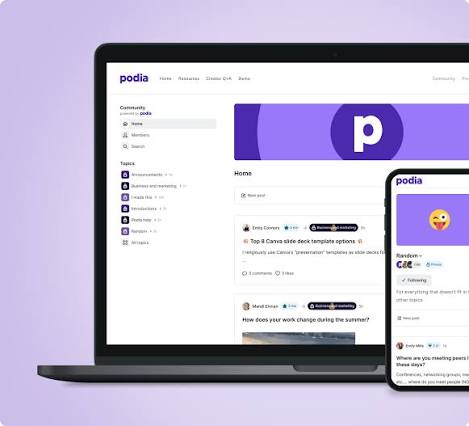
Podia’s pitch is consolidation, and in practice that shows up as flexibility in how a membership actually gets structured. Some creators build a straightforward content library behind a paid tier. Others combine a membership with live coaching calls booked through the same dashboard, or bundle community access with a course so members get both the curriculum and a place to discuss it without leaving the platform.
Built-in email marketing is genuinely included, not bolted on, meaning many creators drop a separate email tool entirely once they move to Podia. The 30-day free trial is long enough to actually build something and test it before paying anything.
Pricing: $49/month (Mover, 5% fee), $99/month (Shaker, 0% fee), $179/month (Earthquaker, 0% fee)
Pros:
- One login for courses, memberships, community, and digital downloads, meaning a creator selling more than one type of product manages all of it, and sees all of it, from a single dashboard rather than switching between separate tools for each offer type.
- Built-in email marketing at every tier, with contact caps that scale by plan, genuinely functional enough that many creators moving to Podia cancel a separate email service provider rather than running both in parallel.
- 30-day free trial, genuinely enough time to build and test, long enough to set up a real membership structure and see how it feels to actually run before committing to a paid plan.
Cons:
- Community features are basic, a post feed rather than real-time chat or dedicated forums, meaning creators for whom community depth and real-time interaction matter most will find Podia noticeably lighter here than a dedicated community platform.
- Mover’s 5% fee costs more than the price gap to Shaker once you’re past a few thousand dollars a month, making the cheaper-looking entry plan a false economy for anyone doing meaningful volume, since the fee difference outweighs the monthly price difference quickly.
- No standalone digital product sales outside the membership/course structure, so products need to fit within Podia’s existing course, membership, or download categories rather than being sold as something entirely separate.
Podia is the right choice for a solo creator or small team selling a genuine mix of product types, courses, downloads, and membership access together, who wants to avoid stitching together separate tools for each one. It’s a particularly strong fit for anyone currently paying for a course platform and a separate email tool simultaneously, since consolidating both into one subscription is where Podia’s value shows up most clearly.
Skool: Simplest Setup With Built-In Gamification
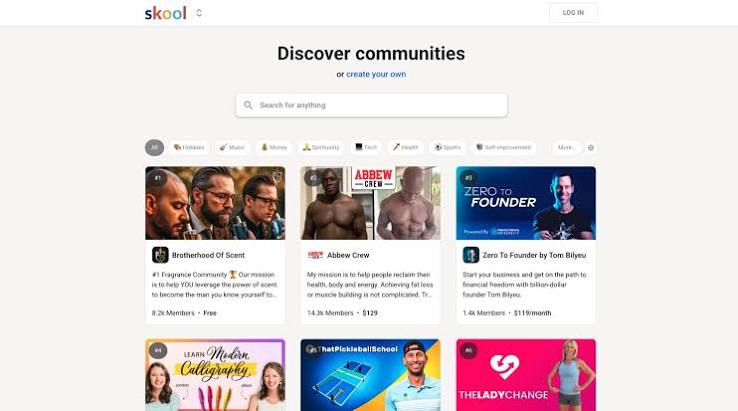
Skool’s whole design philosophy is subtraction: one feed, one course structure, points and leaderboards built in from day one, and almost nothing else to configure. That simplicity is precisely why it’s grown so fast among creators running paid masterminds and cohort-style communities where engagement, not feature depth, is the actual product.
The gamification isn’t cosmetic either, it’s genuinely tied to how members experience the platform: points for participation, visible leaderboards, and a sense of progress that a plain forum doesn’t create. The tradeoff for all that simplicity is real: no white-label option, no plugin ecosystem, and members interact through Skool’s own branded app rather than yours.
Pricing: $9/month (Hobby, 10% fee), $99/month (Pro, 2.9% fee, rising to 3.9% on individual payments above roughly $900)
Pros:
- Fastest setup on this list, genuinely hours, not days, since there’s almost nothing to configure beyond naming your community and setting a price, making it the quickest path from idea to a live, paying membership.
- Gamification included at every tier, a real driver of engagement, with points and leaderboards visible to members from day one rather than something added later as an upgrade or plugin.
- Native mobile apps included, giving members a genuine app experience without any additional setup, even though it carries Skool’s own branding rather than yours.
Cons:
- Hobby’s 10% fee matches Patreon’s, and neither tier reaches 0%, meaning even the higher-priced Pro plan still takes a real percentage of every sale, unlike several WordPress-based options on this list that eliminate the fee entirely at a comparable price point.
- No white-label option, no custom domain, minimal customization overall, so a brand-conscious business that wants its own look and its own domain will find Skool’s uniform template a genuine constraint rather than a minor cosmetic issue.
- No plugin or integration ecosystem to extend functionality, meaning if Skool doesn’t build a feature natively, there’s no third-party marketplace to add it yourself the way there is on WordPress.
Skool is the right choice for a creator running a paid mastermind or cohort community where speed to launch and built-in engagement mechanics matter more than customization or brand control. It’s a weaker fit for anyone who wants their own branded experience or plans to integrate the membership with a broader existing tech stack, since both of those are areas where Skool deliberately offers very little.
Thinkific: Course-First Platform, Membership Secondary
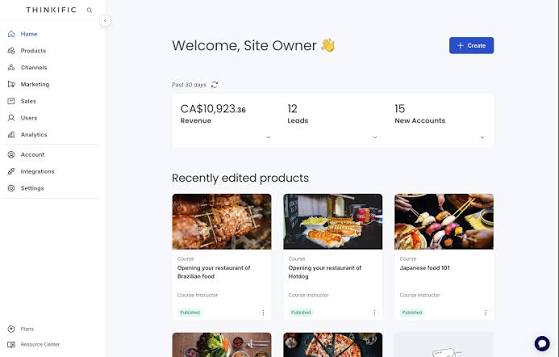
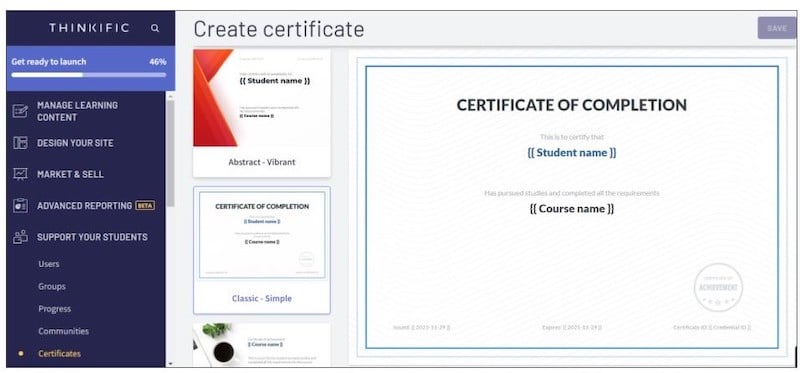
Thinkific was built for course delivery specifically, and that focus is visible everywhere: a genuinely polished learner experience, strong assessment and certificate tools, and course-taking that feels considered rather than bolted together. Membership access sits on top of that foundation rather than being the platform’s original purpose, which shows in a few real ways, membership and subscription billing aren’t even available on the entry Basic plan, you need Start or above to unlock them.
For an educator whose actual product is the course itself, with membership functioning mainly as the billing wrapper around ongoing access, that tradeoff makes sense. For someone whose product is the community and discussion around the content, Thinkific will feel thinner than options built with that as the starting point.
Pricing: $40/month (Basic, no membership access), $82/month (Start, membership included), $164/month (Grow), annual billing, following a roughly 10% price increase that took effect 13 August 2026
Pros:
- Genuinely strong course-taking experience with assessments and certificates, built specifically around structured learning rather than adapted from a community or membership tool, which shows in the polish of the actual student-facing experience.
- Unlimited courses included even on the entry plan, meaning course volume itself is never the limiting factor, only which plan-level features like membership billing you have access to.
- Built-in email tools from Start upward, giving course creators a way to communicate with students without needing an entirely separate email platform once past the entry tier.
Cons:
- Paid memberships aren’t available until the Start plan, a real structural gap for anyone assuming the cheapest plan covers membership billing, when in practice the entry Basic tier is course-sales-only.
- Community features are basic next to a dedicated community or membership platform, reflecting Thinkific’s course-first origins rather than a platform built around ongoing member interaction as its primary purpose.
- All named plans capped at 10,000 students, a ceiling that a genuinely large course business will eventually hit, requiring a move to the custom-priced enterprise tier to continue growing past it.
Thinkific is the right choice for an educator whose core product is the course itself, someone who wants the strongest possible learning experience, assessments, certificates, structured progress, with membership serving mainly as the recurring-billing wrapper around that content. It’s not the right choice for someone whose real product is the community and ongoing discussion around the material, since that’s the area where Thinkific offers the least compared to the rest of this list.
Mighty Networks: Community-First With Native Live Streaming
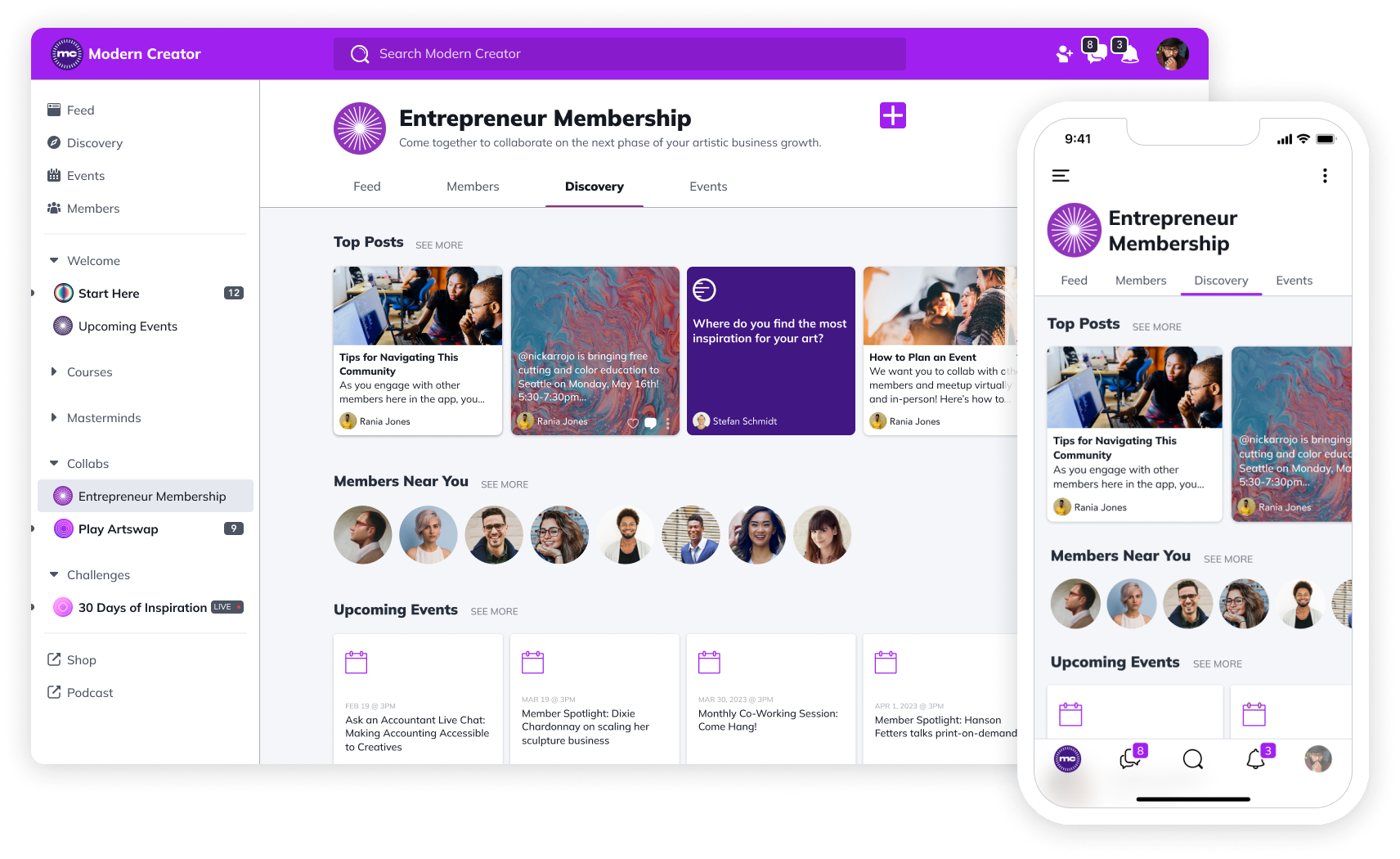
Mighty Networks treats community as the foundation and everything else, courses, events, memberships, as features layered onto that base rather than the reverse. Native live streaming is the standout here, genuinely built in rather than requiring a Zoom integration, which matters for anyone running regular live sessions as part of the membership itself.
The structural tradeoff mirrors the pricing one: no tier, including the custom-priced top plan, ever reaches a 0% transaction fee, and there’s no built-in email marketing or blogging, so a Mighty Networks membership typically runs alongside a separate marketing stack rather than replacing it entirely.
Pricing: $79/month (Launch, 2%), $179/month (Scale, 1%), $354/month (Growth, 0.5%), custom (Mighty Pro, 0.5%)
Pros:
- Native live streaming and event tools, genuinely built in, meaning a creator running weekly live calls or workshops doesn’t need a separate video platform stitched on top, the streaming happens inside the same space as the rest of the community.
- Unlimited members and spaces on every plan, so growth in member count or the number of distinct discussion areas never triggers a plan upgrade on its own, unlike platforms that cap either.
- Gamification features (polls, streaks, top-contributor highlights) included, giving community managers real tools to drive participation without needing a separate engagement plugin.
Cons:
- No tier ever reaches 0% transaction fees, including custom enterprise pricing, meaning even a business large enough to negotiate the custom Mighty Pro plan still pays a percentage of every sale indefinitely.
- No built-in email marketing, blogging, or website builder, so a Mighty Networks membership almost always runs alongside a separate marketing stack rather than consolidating that work into one platform.
- A true white-label app requires the custom-priced Mighty Pro tier specifically, putting branded mobile access out of reach at the standard Launch and Scale pricing levels.
Mighty Networks is the right choice for a community-first creator whose membership genuinely revolves around live interaction, regular calls, workshops, real-time events, where native streaming removes a real piece of technical friction. It’s a weaker fit for anyone hoping to run their entire marketing operation from the same platform, since email, blogging, and a website builder are all gaps you’ll need to fill separately regardless of which tier you’re on.
Kajabi: Complete Marketing Stack Built Around Membership
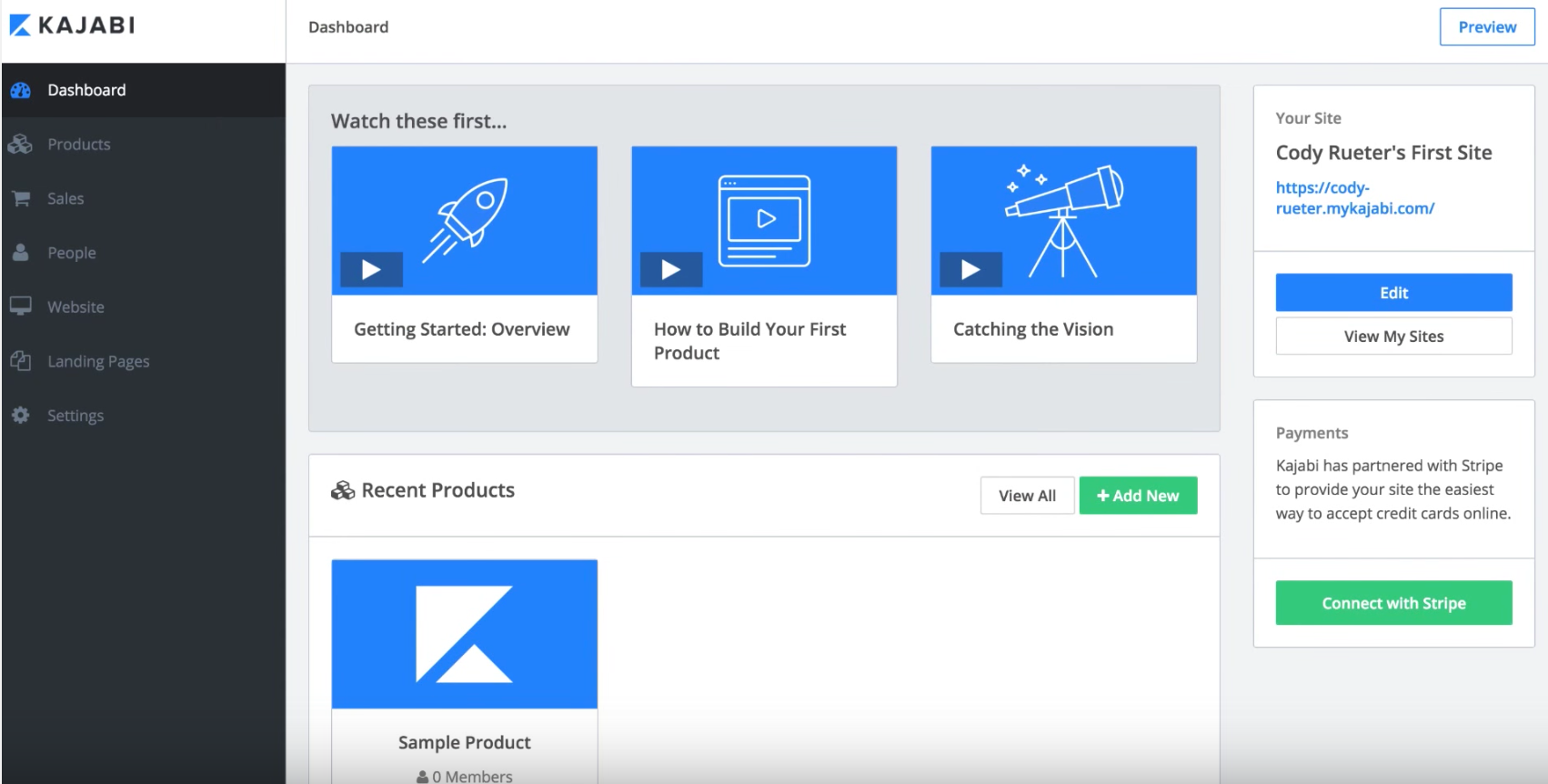
Kajabi’s real differentiator isn’t the membership feature itself, it’s everything surrounding it: built-in email marketing, landing pages, and sales funnels mean a membership business can run its entire marketing operation from the same dashboard as the content itself. For a creator currently paying for a separate ESP and page builder on top of a course platform, that consolidation has real value.
The tradeoff shows up in product and contact limits that apply regardless of how simple your actual membership is. The entry Basic plan caps out at five total products and 2,500 contacts, numbers a moderately active membership business can hit faster than expected, at which point an upgrade becomes necessary regardless of whether you’ve actually outgrown the membership feature itself.
Pricing (post-January 2026 repricing): $143/month (Basic), $199/month (Growth), $399/month (Pro), annual billing | 0% with Kajabi Payments; a surcharge applies if you use your own Stripe account instead
Pros:
- Full marketing stack, email, funnels, landing pages, alongside membership and courses, meaning a creator can run acquisition, nurturing, and delivery from a single system rather than connecting several separate tools together to cover the same ground.
- No revenue share when using Kajabi Payments, so membership sales processed through Kajabi’s own payment system don’t carry an additional platform percentage on top of standard card processing.
- Strong completion tracking and course delivery tools, giving membership businesses that include structured learning real visibility into whether members are actually engaging with the content they’re paying for.
Cons:
- Product and contact caps apply even on plans well above entry-level pricing, meaning cost isn’t the only ceiling, a membership business can hit its contact limit and be forced to upgrade even while the membership itself is running smoothly.
- Community features are genuinely light, no gamification, no activity feed, reflecting Kajabi’s roots as a course and marketing platform rather than a community-first product, a real gap for anyone expecting social features comparable to a dedicated community platform.
- Branded mobile app included only on Pro, a paid add-on below that, putting white-label mobile access at a meaningfully higher price point than several other options on this list.
Kajabi is the right choice for a creator or business that wants membership and course delivery consolidated with a genuine marketing operation, particularly anyone currently paying separately for an email service provider and a landing page tool alongside their course platform. It’s a weaker fit for anyone prioritizing community depth or expecting to scale contacts and products significantly without hitting plan ceilings along the way.
Comparison Table
| Platform | Starting Price | Transaction Fee | Community Depth | Best For |
|---|---|---|---|---|
| BuddyBoss | $99/year | 0% (Launch/Scale) | Full (native) | All-in-one, no plugin stacking |
| MemberPress | $199.50/year | 0% (Growth/Scale) | Pairs with BuddyBoss | Granular content protection |
| Paid Memberships Pro | Free | 0% at every tier | Pairs with BuddyBoss | Zero-cost starting point |
| Patreon | Free to join | 10% | Minimal | Audience already on Patreon |
| Podia | $49/month | 0-5% | Basic | Courses + memberships + downloads |
| Skool | $9/month | 2.9-10% | Feed-based | Simplicity + gamification |
| Thinkific | $40/month | 0% (Thinkific Payments) | Basic | Course-first, membership secondary |
| Mighty Networks | $79/month | 0.5-2% | Strong | Community-first with live streaming |
| Kajabi | $143/month | 0% (Kajabi Payments) | Basic | All-in-one marketing + membership |
How to Choose
If transaction fees at scale worry you most: BuddyBoss, MemberPress, and Paid Memberships Pro all reach a genuine 0% without a custom enterprise quote, all three WordPress-based.
If you want the most complete platform without stitching plugins together: BuddyBoss combines native community, courses, and memberships in one purchase.
If you’d rather not manage any hosting: Kajabi is the strongest fully managed all-in-one, though it never fully reaches 0% outside its own payment processor.
If you’re testing an idea with no budget yet: Paid Memberships Pro’s free tier, Skool’s $9 Hobby plan, and Patreon’s free-to-join model all start at no upfront cost.
Frequently Asked Questions
What is the best membership platform overall?
It depends what you’re optimizing for. BuddyBoss is the strongest pick for community, courses, and memberships combined with zero transaction fees. MemberPress and Paid Memberships Pro are strong picks for a dedicated WordPress membership plugin without the community layer built in.
Which membership platforms have no transaction fees?
BuddyBoss (Launch/Scale), MemberPress (Growth/Scale), Paid Memberships Pro (every tier), Kajabi (with Kajabi Payments), and Thinkific (with Thinkific Payments) can all reach 0%.
Is a WordPress membership plugin better than a SaaS platform?
They solve different problems. A WordPress option costs more setup time upfront for full ownership and no ongoing revenue share. A SaaS platform costs less time to launch in exchange for an ongoing percentage of what you make, indefinitely.
What’s the cheapest membership platform to start with?
Paid Memberships Pro’s free tier costs nothing. Skool’s $9/month Hobby plan and Patreon’s free-to-join model are next, both at a 10% fee until you outgrow them.
Related Reading
- What Is an LMS? — for anyone weighing course delivery alongside membership
- How to Add a Community to a WordPress Site You Already Have — the full setup walkthrough if you already run WordPress
- How to Build an Online Community for Coaches — a step-by-step guide for a specific membership use case
Ready to compare BuddyBoss directly? See current plans and pricing.
