














Introduction
The BuddyBoss Blog Post Settings let you control how members interact with your blog posts. You can enable bookmarking and category subscriptions to encourage readers to save content and stay informed when new posts are published. These settings help increase engagement and make it easier for members to discover and return to the content that interests them.
Tutorial Video
Access the Blog Post Settings
To access the Blog Post Settings:
- Log in to your WordPress Admin Dashboard.
- Go to BuddyBoss > Settings.
- Under BuddyBoss Add-ons, enable Member Blogging if it is not already enabled.
- Click Settings on the Member Blogging card.
- Select Blog Settings.
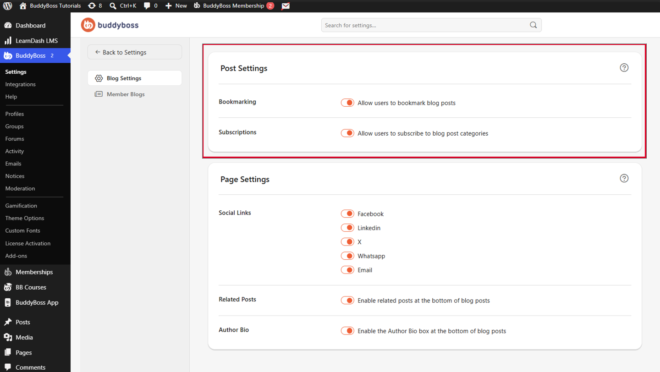
Configure Bookmarking
The Bookmarking option allows members to save blog posts for easy access later.
- Allow users to bookmark blog posts – Enable this option to let members add blog posts to their personal bookmarks, making it easy to revisit their favorite content at any time.
Configure Category Subscriptions
The Subscriptions option allows members to follow blog categories and receive updates when new content is published.
- Allow users to subscribe to blog post categories – Enable this option to notify members whenever new blog posts are published in the categories they follow.
Note: Access to the Blog Bookmarking and Subscriptions feature requires an active BuddyBoss Pro subscription.