














The BuddyBoss Course Categories help organize your courses into logical groups, making it easier for learners to browse and find relevant content. You can also restrict access to individual categories by assigning one or more BuddyBoss Membership plans, ensuring only eligible members can view the courses within those categories.
Access BuddyBoss Course Categories
- Log in to your WordPress Admin Dashboard.
- Go to BB Courses > Courses.
- Click Categories.
Create a Course Category
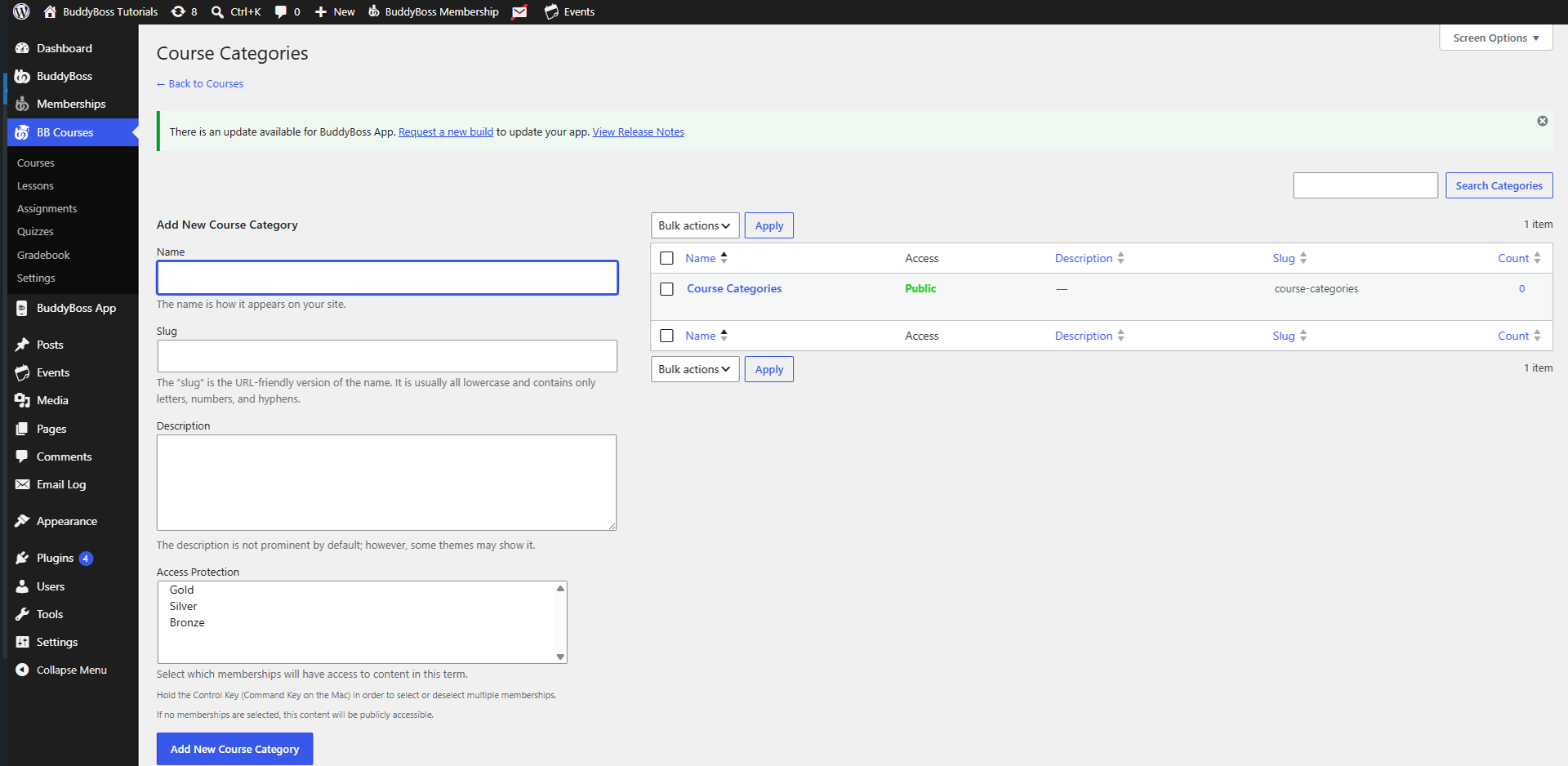
To add a new course category:
- Enter a Name for the category. This is the name displayed on your website.
- (Optional) Enter a Slug. The slug is the URL-friendly version of the category name and typically contains only lowercase letters, numbers, and hyphens.
- (Optional) Add a Description for the category.
- (Optional) Select one or more membership plans under Access Protection to restrict access to the category.
- Click Add New Course Category.
Note: If no memberships are selected under Access Protection, the category and its courses will be publicly accessible.
Access Protection
The Access Protection setting allows you to control which membership plans can access the course category.
- Select one or more BuddyBoss Membership plans to restrict access.
- Hold the Ctrl key (Command on Mac) to select multiple memberships.
- Members must have one of the selected memberships to access content assigned to the category.
Manage Existing Course Categories
The Course Categories table displays all existing categories and includes the following information:
- Name – The category name.
- Access – Displays which membership plans can access the category.
- Description – The category description.
- Slug – The URL-friendly identifier used in the category URL.
From this table, you can edit, delete, or manage existing course categories as needed.