














The BuddyBoss Course Lessons are the building blocks of your courses. Each lesson contains the learning content that students complete as they progress through a course. Lessons support the WordPress block editor, allowing you to create rich learning experiences using text, images, videos, files, and other content blocks.
Access BuddyBoss Lessons
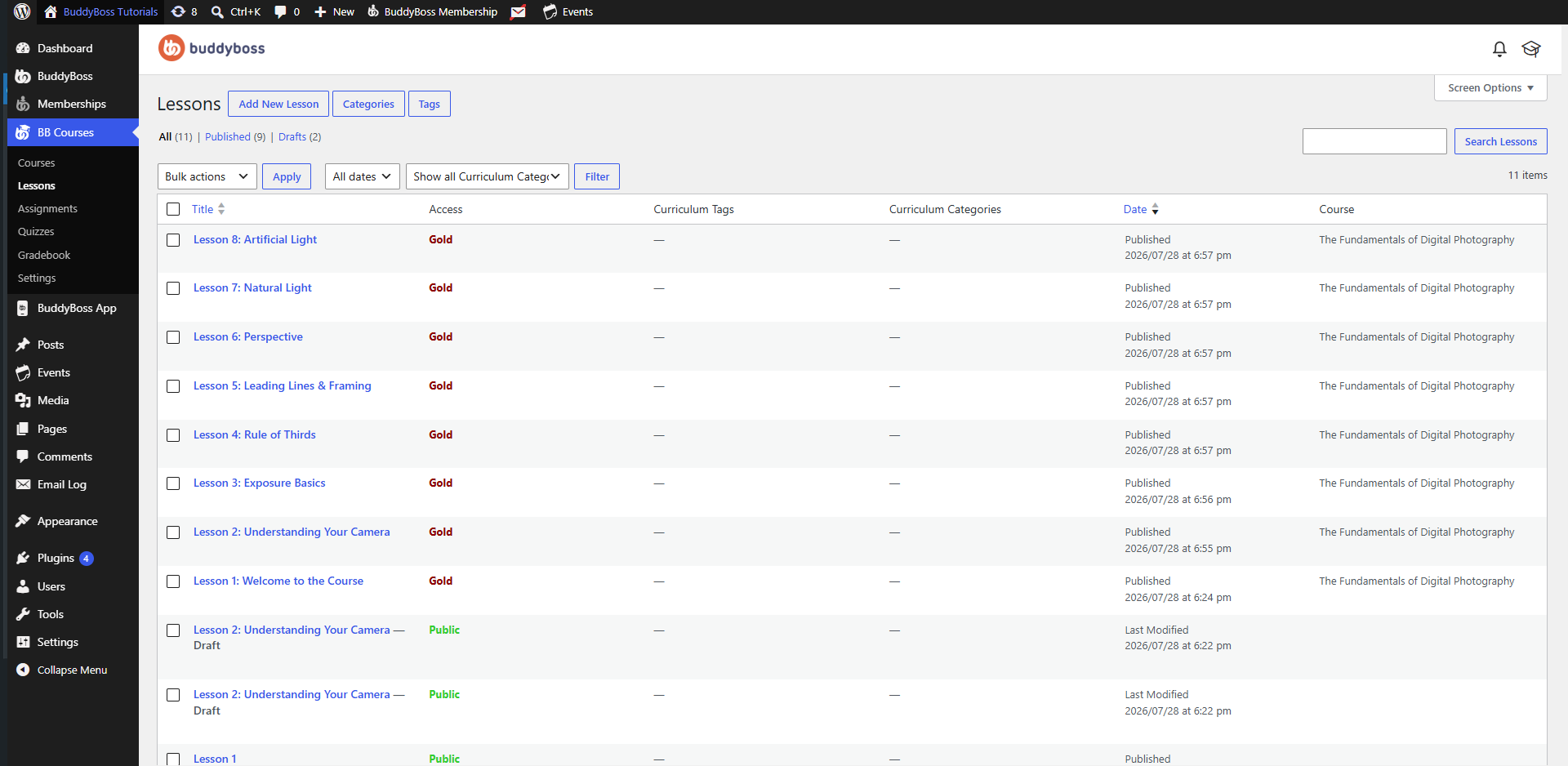
To access the Lessons page:
- Log in to your WordPress Admin Dashboard.
- Go to BB Courses > Lessons.
Create a New Lesson
To create a lesson:
- Click Add New Lesson.
- Enter a Lesson Title.
- Add your lesson content using the WordPress Block Editor.
- Configure the lesson settings in the right-hand sidebar.
- (Optional) Assign Curriculum Tags and Curriculum Categories.
- Click Publish when your lesson is ready.
Lesson Editor
The lesson editor uses the WordPress Block Editor, allowing you to build lesson content with a variety of content blocks.
Lesson Settings
The settings panel includes:
- Status – Displays the current lesson status (Draft or Published).
- Publish – Schedule or immediately publish the lesson.
- Slug – Customize the lesson URL.
- Featured Image – Assign a featured image for the lesson.
- Curriculum Tags – Assign tags to help organize lessons.
- Curriculum Categories – Assign categories to group lessons.
Manage Existing Lessons
The Lessons page displays all created lessons and provides the following information:
- Title – The lesson name.
- Access – Displays whether the lesson is publicly accessible or restricted by memberships.
- Curriculum Tags – Tags assigned to the lesson.
- Curriculum Categories – Categories assigned to the lesson.
- Date – The publication date.
- Course – The course the lesson belongs to.
You can also:
- Create new lessons using Add New Lesson.
- Filter lessons by Date or Curriculum Category.
- Search for lessons using the search box.
- Perform bulk actions on multiple lessons simultaneously.