














The BuddyBoss App Require Purchase Migration allows you to move your existing In-App Products access restrictions to the more advanced Access Controls feature. By recreating your membership and course restrictions as Access Groups, you can maintain similar access behavior while gaining more flexibility over who can access your app.
If you do not enable Access Controls, no migration is required, and the BuddyBoss App Require Purchase Migration will not affect your existing Require Purchase configuration.
Before You Enable Access Controls
Before activating Access Controls, review your existing BuddyBoss App Require Purchase Migration configuration.
- Go to WordPress Dashboard > BuddyBoss App > Settings > In-App Purchases.
- Locate the Require Purchase setting.
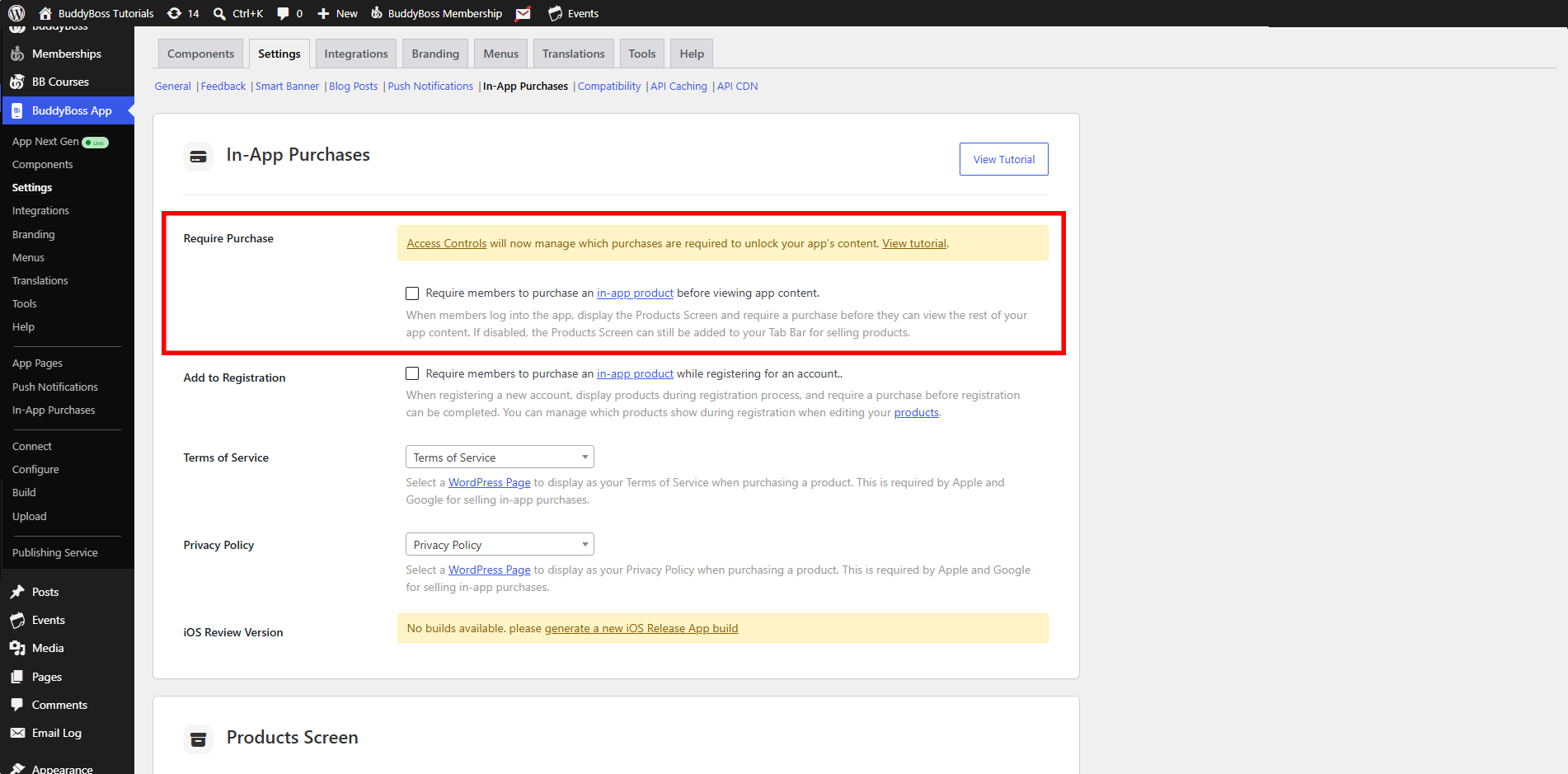
- Take note of the memberships and courses currently being used to restrict access.
- Keep a record of these settings so you can recreate the same restrictions using Access Groups.
Note: Once Access Controls is activated, BuddyBoss App Require Purchase Migration is removed and not used. If you disable Access Controls, the Require Purchase setting becomes available again.
Activate Access Controls and Create Access Groups
After recording your existing BuddyBoss App Require Purchase Migration configuration, activate Access Controls.
Create Access Groups that correspond to the memberships and courses you previously configured under Require Purchase.
For example, if access was previously restricted based on a particular membership or course, create an Access Group that represents that membership or course.
Repeat this process for each membership or course that was previously used to determine access.
Restrict Access to the BuddyBoss App
Once your Access Groups are ready, configure which members can log in to the app.
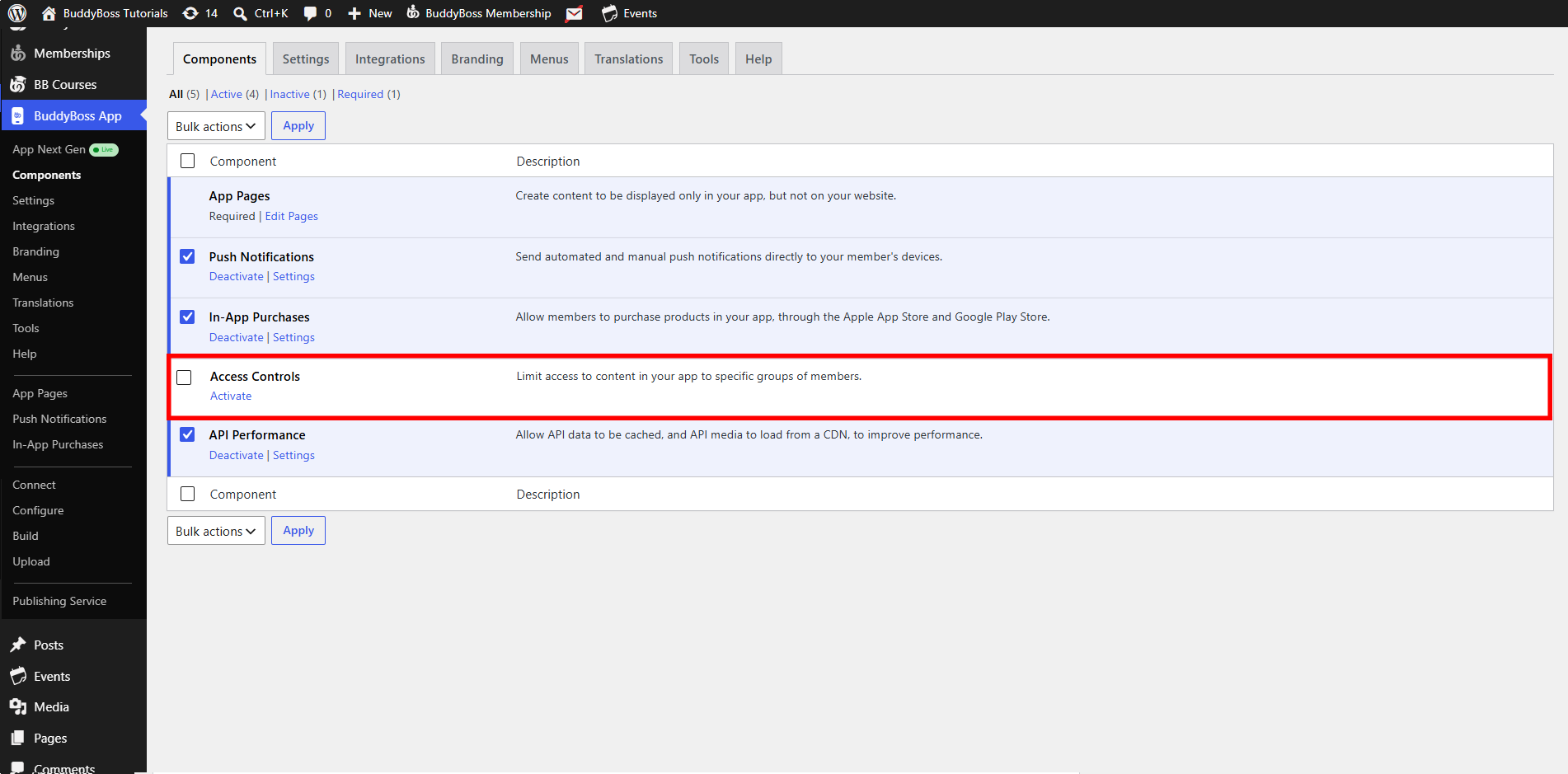
- Go to WordPress Dashboard > BuddyBoss App > Components.
- Activate Access Control.
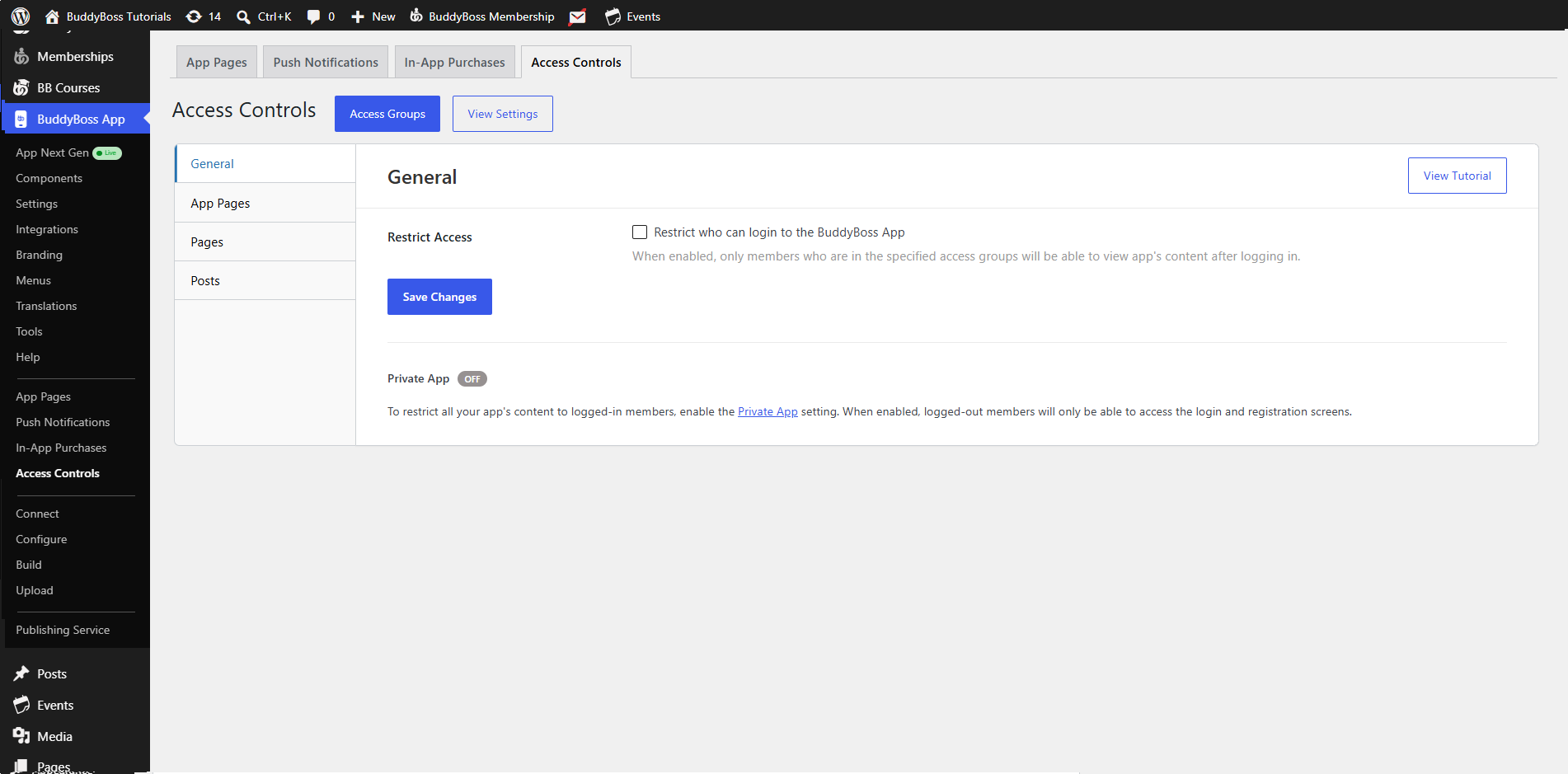
- Navigate to Access Controls > General.
- Enable Restrict Access.
- Select an Access Group from the drop-down.
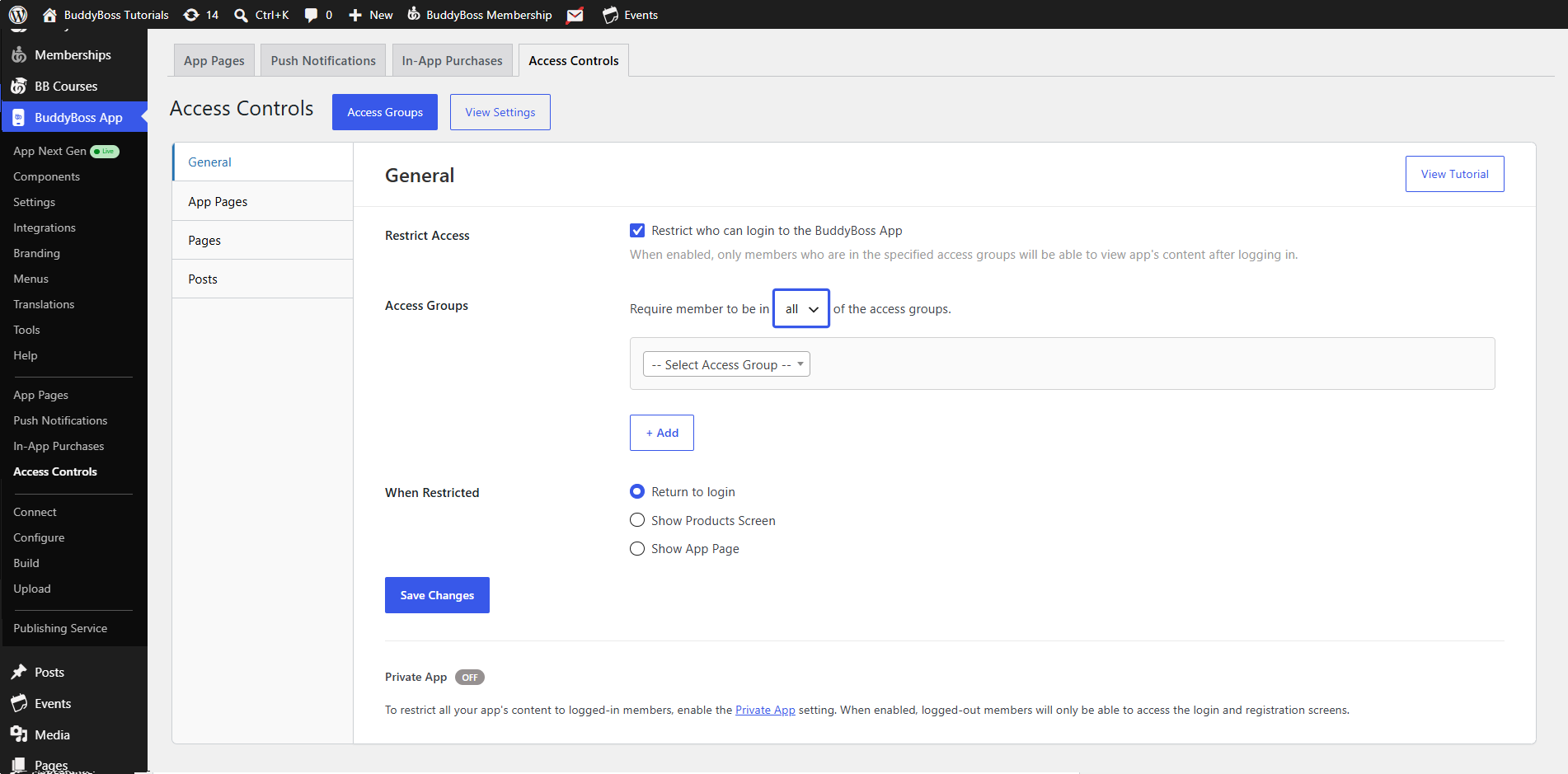
- Click + Add to include additional Access Groups when needed.
- Choose whether members must belong to ALL or ANY of the selected Access Groups.
- ALL – Members must belong to every selected Access Group before they can access the app.
- ANY – Members only need to belong to one of the selected Access Groups before they can access the app.
When Restrict Access is enabled, only members who meet the configured Access Group requirements can access the app’s content after logging in.
Configure the Restricted Access Action
Choose what happens when a member attempts to access the app without meeting your Access Group requirements.
The available actions include:
Show Products Screen – Displays the Products screen so members can purchase the product required to gain access. Use this option if you want to maintain behavior similar to the previous Require Purchase functionality.
Return to Login – Returns the member to the app’s login screen.
Show App Page – Displays a selected App Page. You can create an App Page explaining why access is restricted and provide instructions on what the member needs to do to gain access.
Select the action that best matches the experience you want to provide to restricted members.
Save the Access Control Settings
Once you have configured your Access Groups and restricted access behavior:
- Review the selected Access Groups.
- Confirm whether ALL or ANY of the selected groups are required.
- Confirm the action members will see when access is restricted.
- Click Save Changes.
Your previous Require Purchase restrictions have now been recreated using BuddyBoss App Access Controls, with additional flexibility for managing how members gain and experience access to your app.
Restrict App Content to Logged-In Members
You can also make your BuddyBoss App private so its content is available only after a member logs in.
- Go to WordPress Dashboard > BuddyBoss App > Settings > General > Privacy.
- Enable Private App.
- Save your changes.
When Private App is enabled, logged-out members can only access the login and registration screens. They must log in before accessing the rest of the app’s content.