














The BuddyBoss Membership Information Settings tab allows you to configure your business information used by BuddyBoss Membership. These details are used for membership-related records, payment information, invoices, and other business communications where your merchant information is required.
Access BuddyBoss Membership Info Settings
- Log in to your WordPress Admin Dashboard.
- Go to Memberships > Settings.
- Open the Info tab.
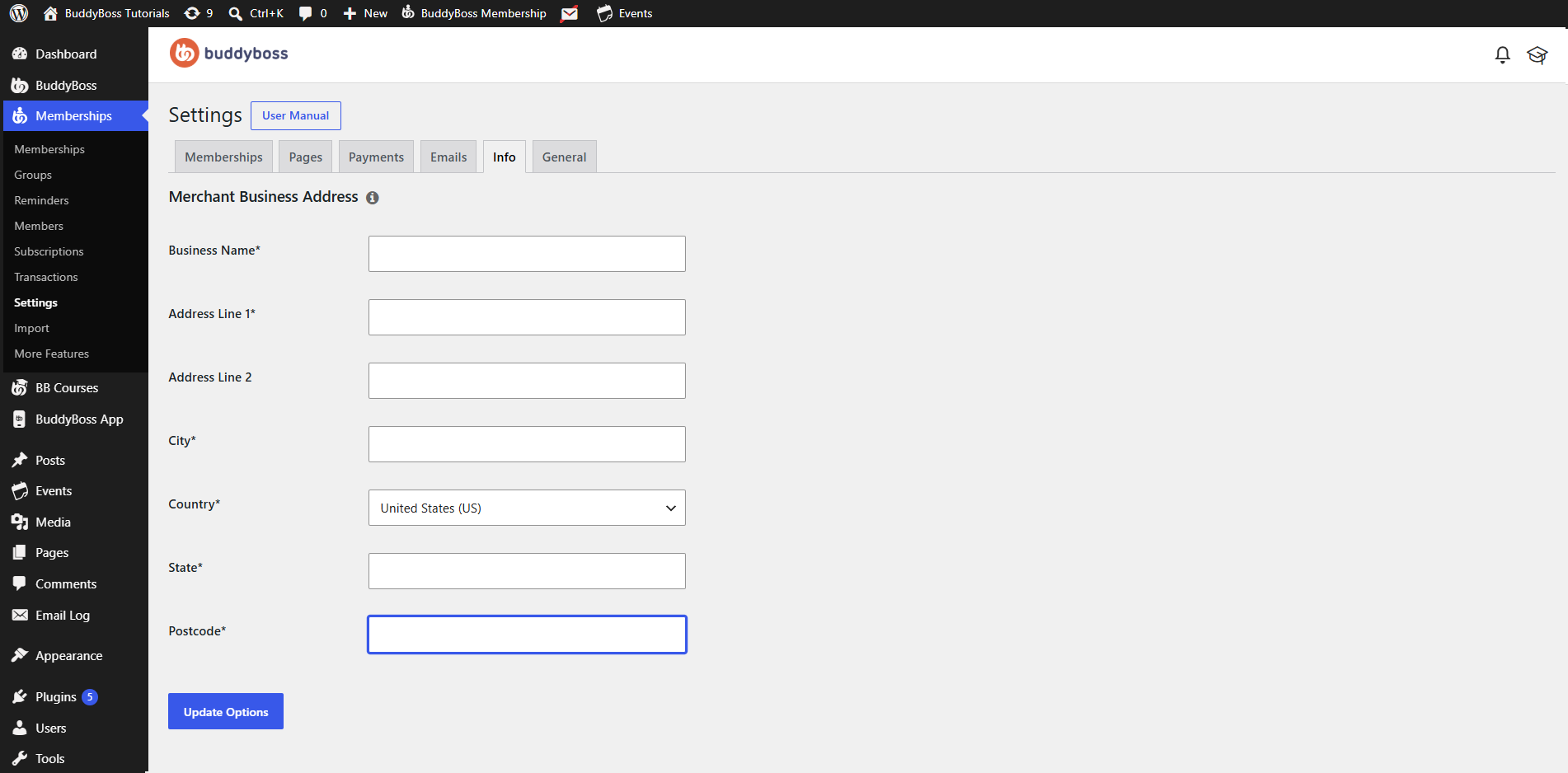
Merchant Business Address
Enter your business details in the required fields.
Business Name – Enter the name of your business or organization. This name is used as your merchant or business name throughout BuddyBoss Membership.
Address Line 1 – Enter the primary street address of your business.
Address Line 2 – (Optional) Enter additional address information such as a suite number, apartment number, or building name.
City – Enter the city where your business is located.
Country – Select your business country from the dropdown list. Choosing the correct country ensures your business information is displayed correctly where required.
State – Enter or select the state, province, or region associated with your business address.
Postcode – Enter your ZIP code or postal code.
Save Your Changes
After entering or updating your business information:
- Review your details for accuracy.
- Click Update Options.
Your merchant business information will be saved and used by BuddyBoss Membership where applicable.