














The Import tool allows you to import membership-related data into BuddyBoss Membership using CSV files. This is useful when migrating data from another website or bulk importing existing membership information. This guide explains how to import Membership Data to BuddyBoss Membership
Access Import Data Tool
- Log in to your WordPress Admin Dashboard.
- Go to Memberships > Import.
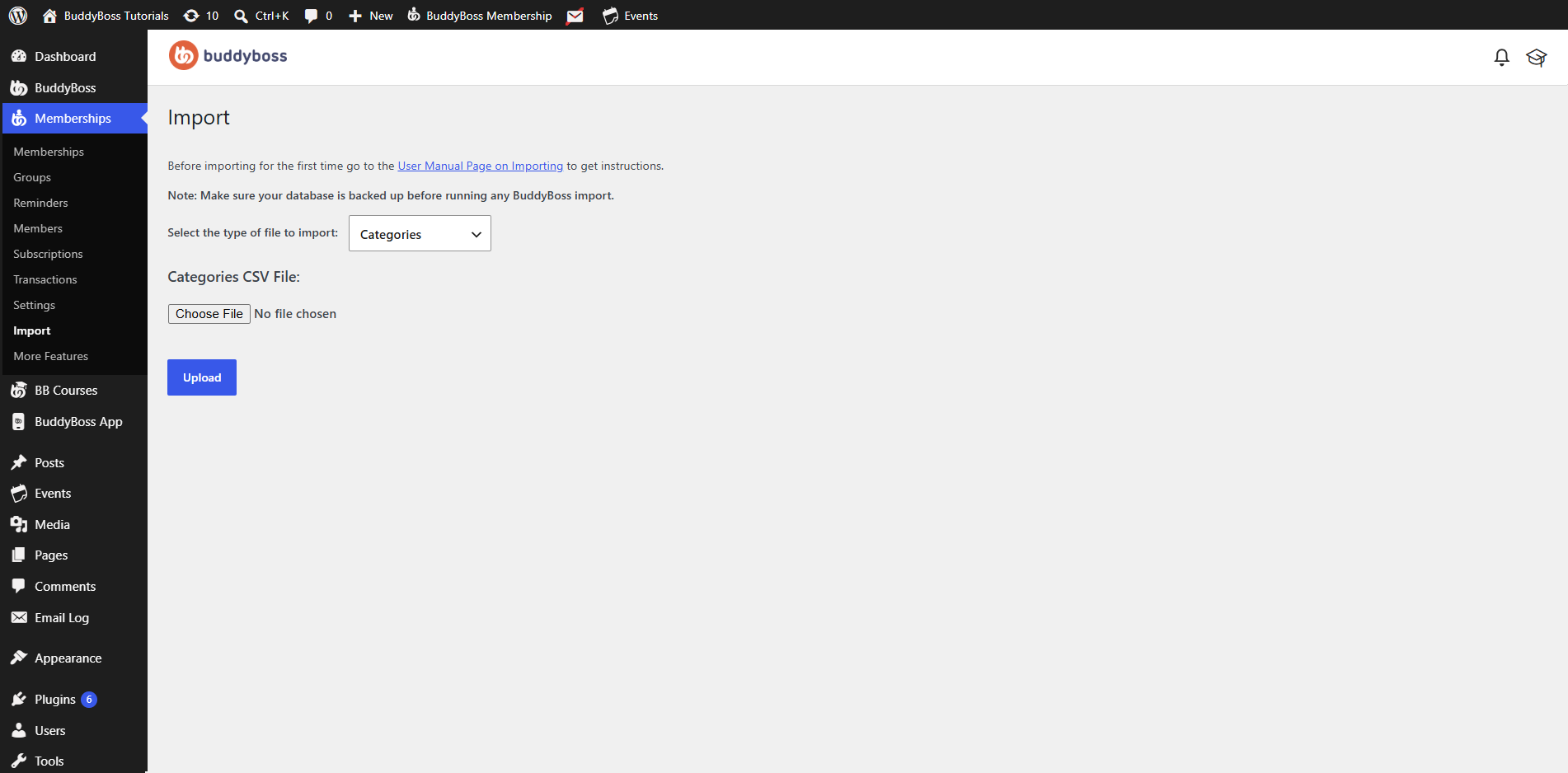
Important: Before running any import, make sure your website database is backed up. Importing data can overwrite or create records that may be difficult to reverse.
Select the Import Type
From the Select the type of file to import dropdown, choose the type of data you want to import.
Available import types include:
- Categories – Import membership categories.
- Custom Post Types – Import custom post type content.
- Memberships – Import membership plans.
- Pages – Import WordPress pages.
- Posts – Import WordPress posts.
- Subscriptions – Import member subscriptions.
- Tags – Import WordPress tags.
- Terms – Import taxonomy terms.
- Transactions – Import membership transaction records.
- Users – Import WordPress users.
Upload the CSV File
After selecting the import type:
- Click Choose File.
- Browse to and select the appropriate CSV file from your computer.
- Verify that the CSV file matches the selected import type.
- Click Upload to begin the import.
Before You Import
To ensure a successful import:
- Back up your website database before importing.
- Verify that your CSV file uses the correct format for the selected import type.
- Import only one data type at a time.
- Large imports may take several minutes to complete depending on your server resources.
Importing for the First Time
If this is your first time using the import tool, review the BuddyBoss Membership Import User Manual before importing your data. The documentation provides formatting requirements and additional guidance for preparing your CSV files.
After the Import
Once the import has completed successfully:
- Review the imported data in the appropriate BuddyBoss Membership section.
- Confirm that all records have been imported correctly.
- Test your memberships, subscriptions, or transactions if they were included in the import.
Imported data is immediately available within BuddyBoss Membership after the import process finishes.