














The Universally translation cache in BuddyBoss stores translated strings so that each unique string only needs to be translated once. This helps Universally reuse existing translations instead of translating the same content repeatedly.
From the Usage section, you can view the number of cached translations for each configured language, clear the cache for an individual language, or rebuild the translation cache for all languages.
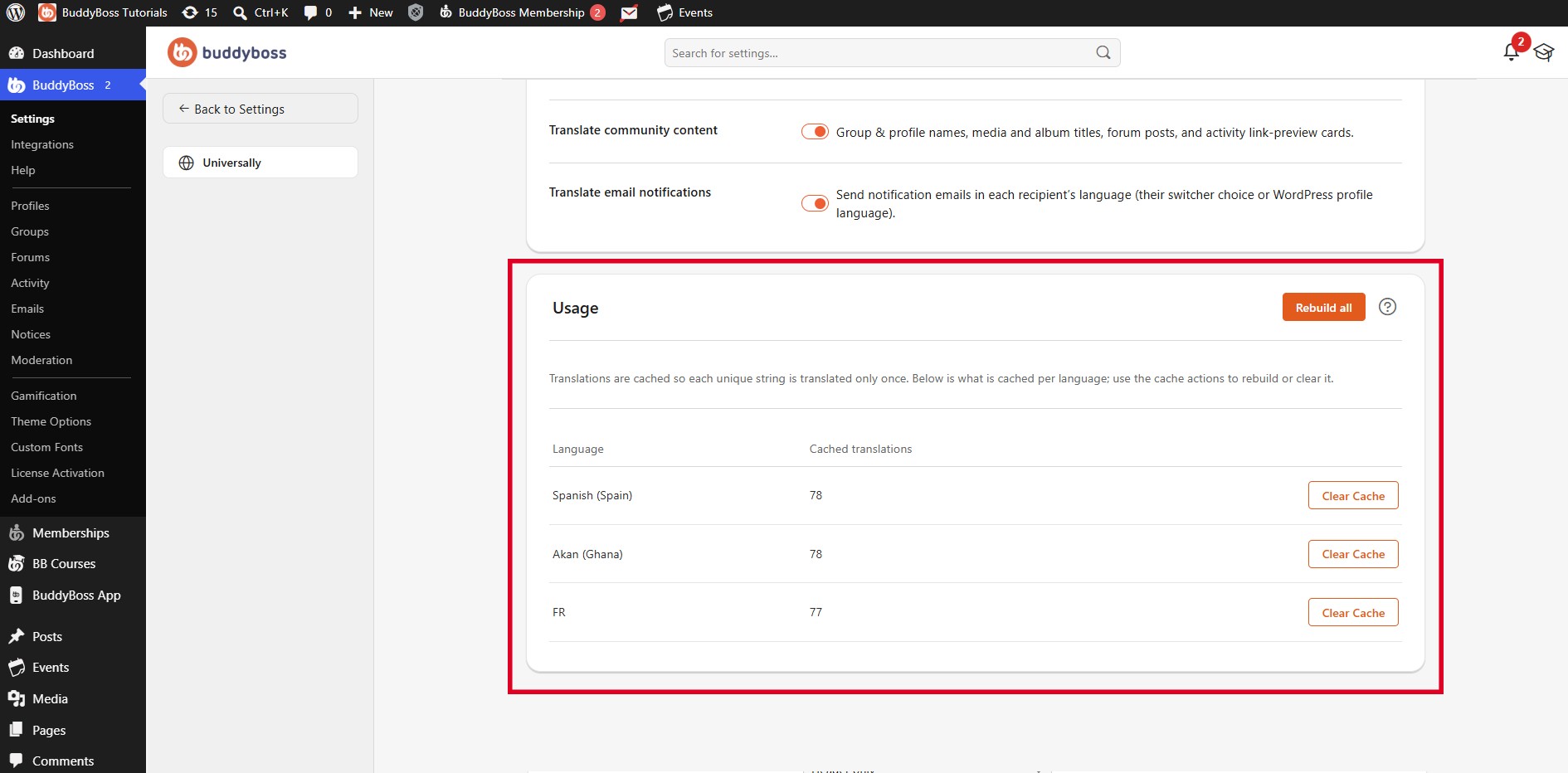
View Translation Cache Usage
In your WordPress Dashboard, navigate to BuddyBoss > Settings > Integrations > Universally, then locate the Usage section.
The table displays the following information for each configured language:
- Language – The translation language associated with the cached content.
- Cached translations – The number of translated strings currently stored for that language.
Each unique translated string is cached so it can be reused when the same content needs to be displayed again.
Clear the Cache for a Language
Use Clear Cache when you want to remove the cached translations for a specific language.
- Locate the language you want to clear under Usage.
- Click Clear Cache next to the language.
- The cached translations for the selected language will be cleared.
Universally can then generate and cache translations again as translated content is requested.
Rebuild All Translation Caches
Use Rebuild all when you want to rebuild the translation cache across all configured languages.
Click Rebuild all at the top of the Usage section.
This option is useful when you want Universally to refresh the cached translation data for all languages instead of managing each language individually.