














The Universally translation settings in BuddyBoss allow you to control how translated content is presented to members across your BuddyBoss Platform website. You can choose whether activity feed content is translated automatically or on demand, determine where members can access the language switcher, and enable translations for supported community content and notification emails.
These settings help you customize the multilingual experience based on how you want members to interact with translated content throughout your community.
Access the Translation Settings
- In your WordPress Dashboard, navigate to BuddyBoss > Settings > Integrations > Universally.
- Locate the Translation section.
- Configure the available translation options based on your preferences.
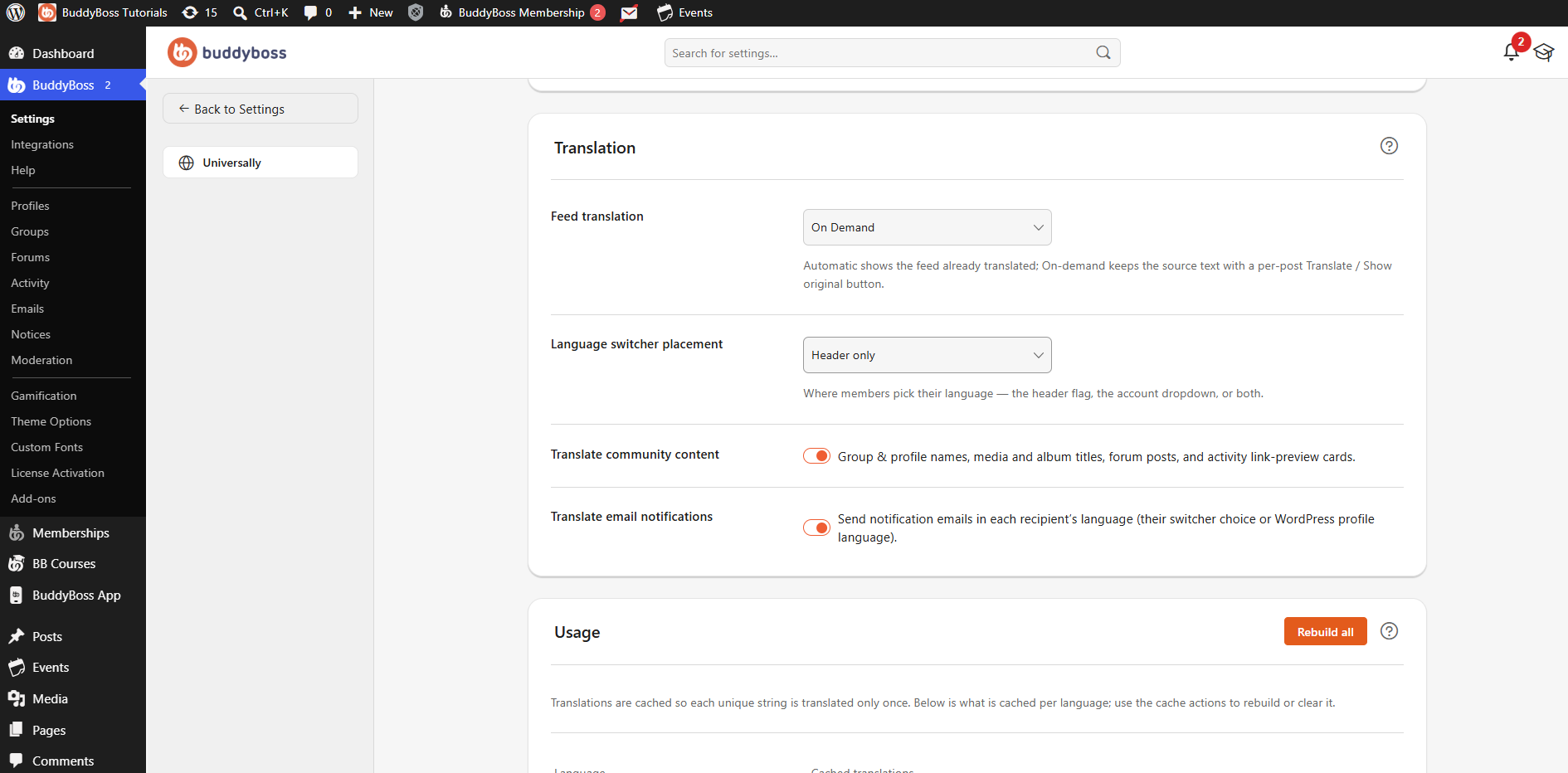
Configure Feed Translation
The Feed translation setting determines how translated activity feed content is displayed to members.
Use the Feed translation dropdown to select one of the following options:
Automatic
Select Automatic to display supported activity feed content already translated into the member’s selected language.
Members do not need to manually request a translation when viewing supported feed content.
On Demand
Select On Demand to keep activity feed content in its original language by default.
Members can use the available Translate option on individual posts when they want to view translated content. They can also use Show original to return to the source text.
Configure Language Switcher Placement
The Language switcher placement setting determines where members can access the language selector within your BuddyBoss Platform website.
Select one of the following options:
- Header only – Displays the language switcher in the site header.
- Profile dropdown only – Displays the language switcher in the member’s profile or account dropdown.
- Both – Displays the language switcher in both the header and profile dropdown.
Choose the placement that best fits how you want members to access their language options.
Translate Community Content
Enable Translate community content to translate supported community-generated content.
This includes content such as:
- Group and profile names
- Media and album titles
- Forum posts
- Activity link-preview cards
Disable this option if you do not want Universally to translate these types of community content.
Translate Email Notifications
Enable Translate email notifications to send supported notification emails in each recipient’s language.
Universally determines the recipient’s language using their language switcher selection or their WordPress profile language.
This allows members to receive supported notification emails in the language associated with their account or current language preference.