














Most community founders hit the same wall.
You built the community. You run the community. And you also write every single thing that gets published on it. The newsletter, the tutorials, the announcements, the case studies. All of it lands on one desk. Yours.
Meanwhile you are sitting on a group of people who know your subject deeply, who write well, and who would love the visibility. They just have no way to publish anything. Handing a member a WordPress dashboard login is not a real option, and nobody wants to run a blog through email submissions and copy paste.
Today that changes. Member Blogging lets your members write and publish blog posts directly from the front end of your site, and it gives you complete control over what actually goes live.
We are shipping three things today, and every BuddyBoss customer gets something.
What shipped
Member Blogging (BuddyBoss Plus). Members write and publish blog posts from a front-end editor. They never touch the WordPress dashboard.
Bookmarking and Blog Subscriptions (BuddyBoss Pro and Plus). Readers can save posts for later, and subscribe to categories to get notified when something new is published in a topic they care about.
ReadyLaunch blog templates (included in BuddyBoss Platform, free). Your blog archive and single post pages now ship with proper ReadyLaunch styling instead of falling back to whatever theme happens to be active.
Let’s go through each one.
Member Blogging: publishing without the dashboard
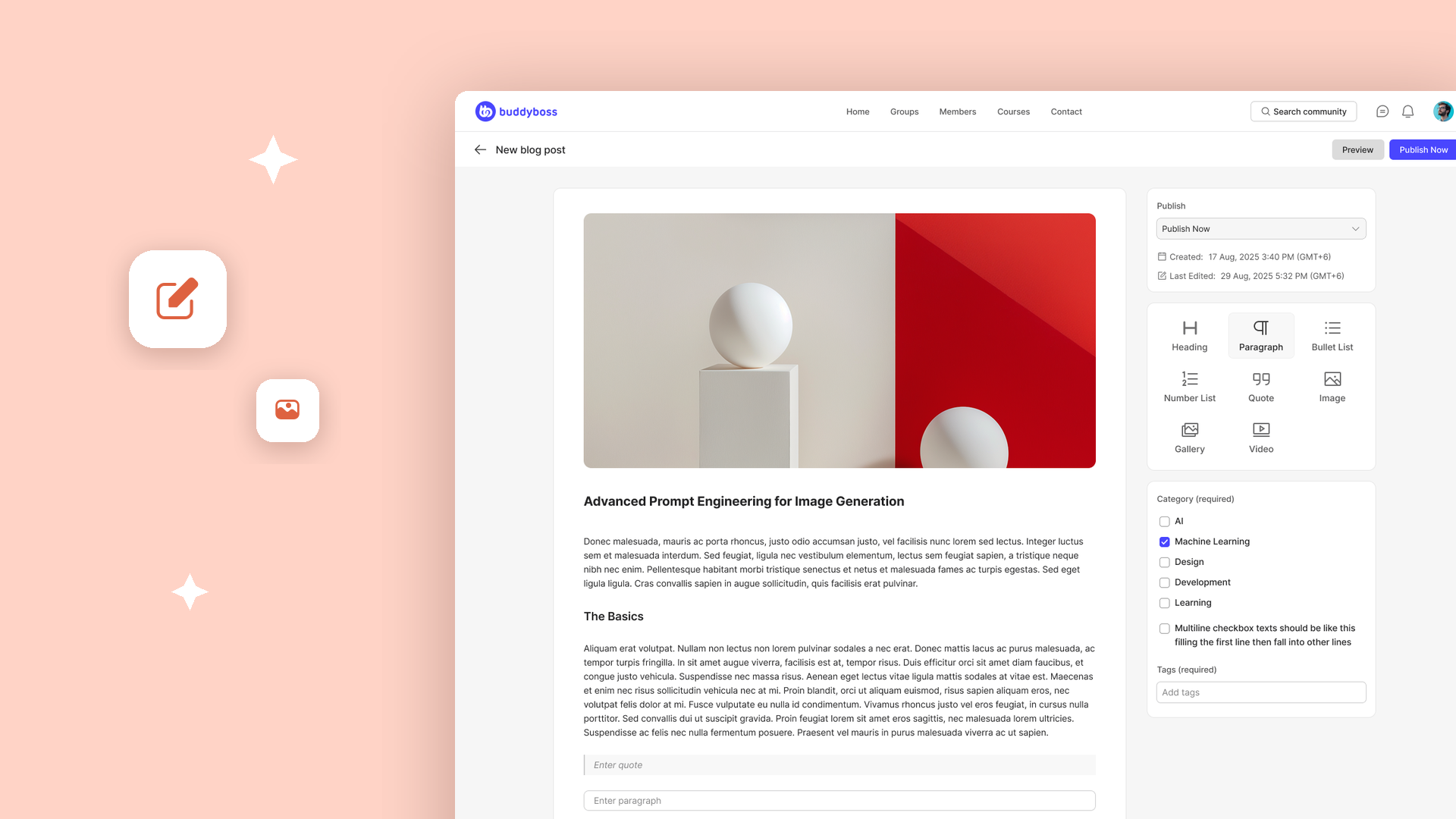
A member clicks Create New on your Blogs page and gets a clean writing interface. They add a featured image, enter a title, and build the post out of blocks. Headings, paragraphs, images, video, and the other blocks they already understand from anywhere else on the modern web.
They pick a category, add tags, preview the result, and publish. If you have approval turned on, they submit it for review instead.
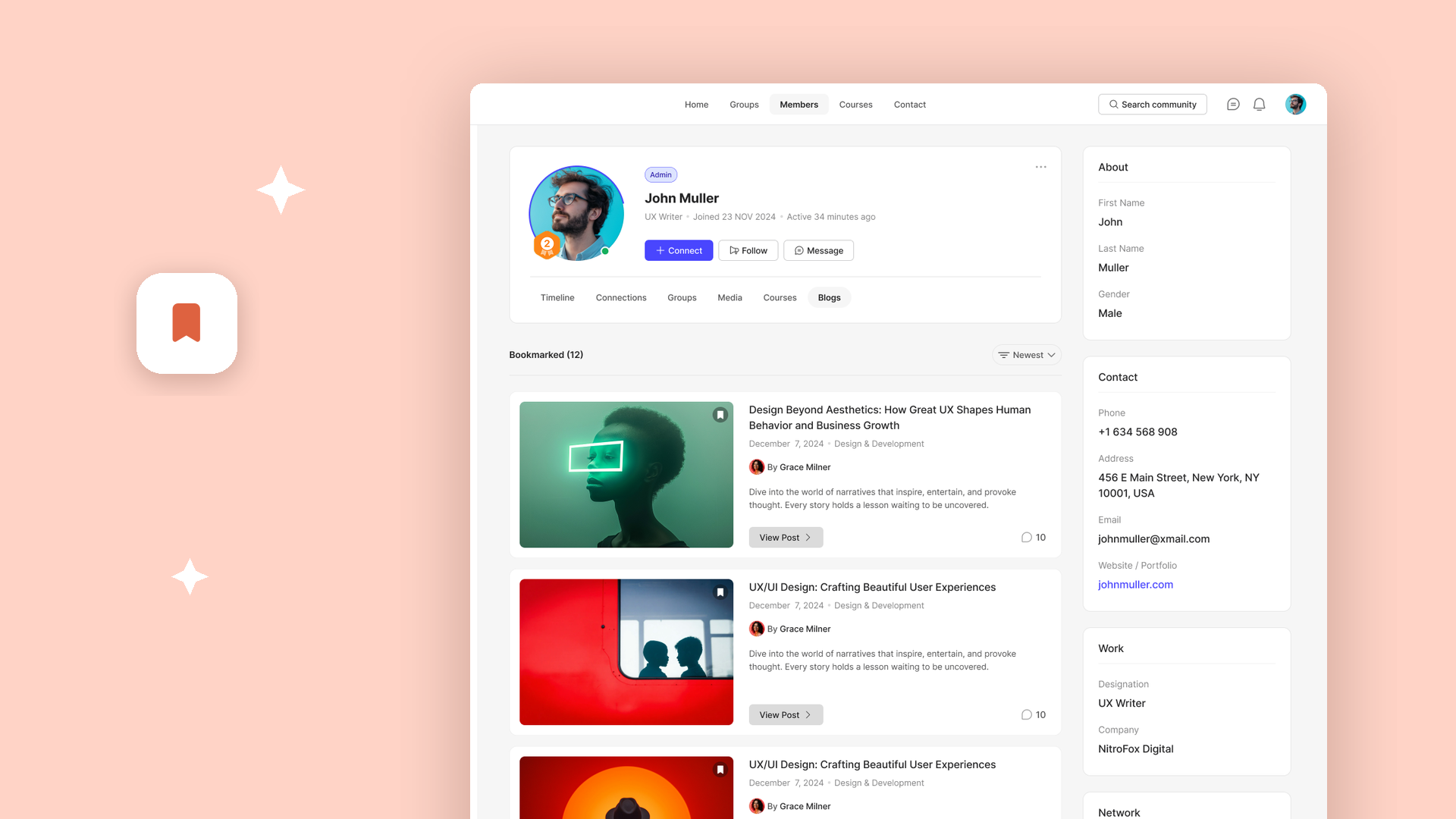
Everything they have written lives under their profile, in a new Blogs tab, so they can see their published posts and drafts in one place. You continue to manage every post from the WordPress dashboard exactly as you always have. Member Blogging does not create a parallel content system. These are real WordPress posts.
You decide who can publish
The part that makes this usable in a real community is the permissions model. You are not opening the floodgates.
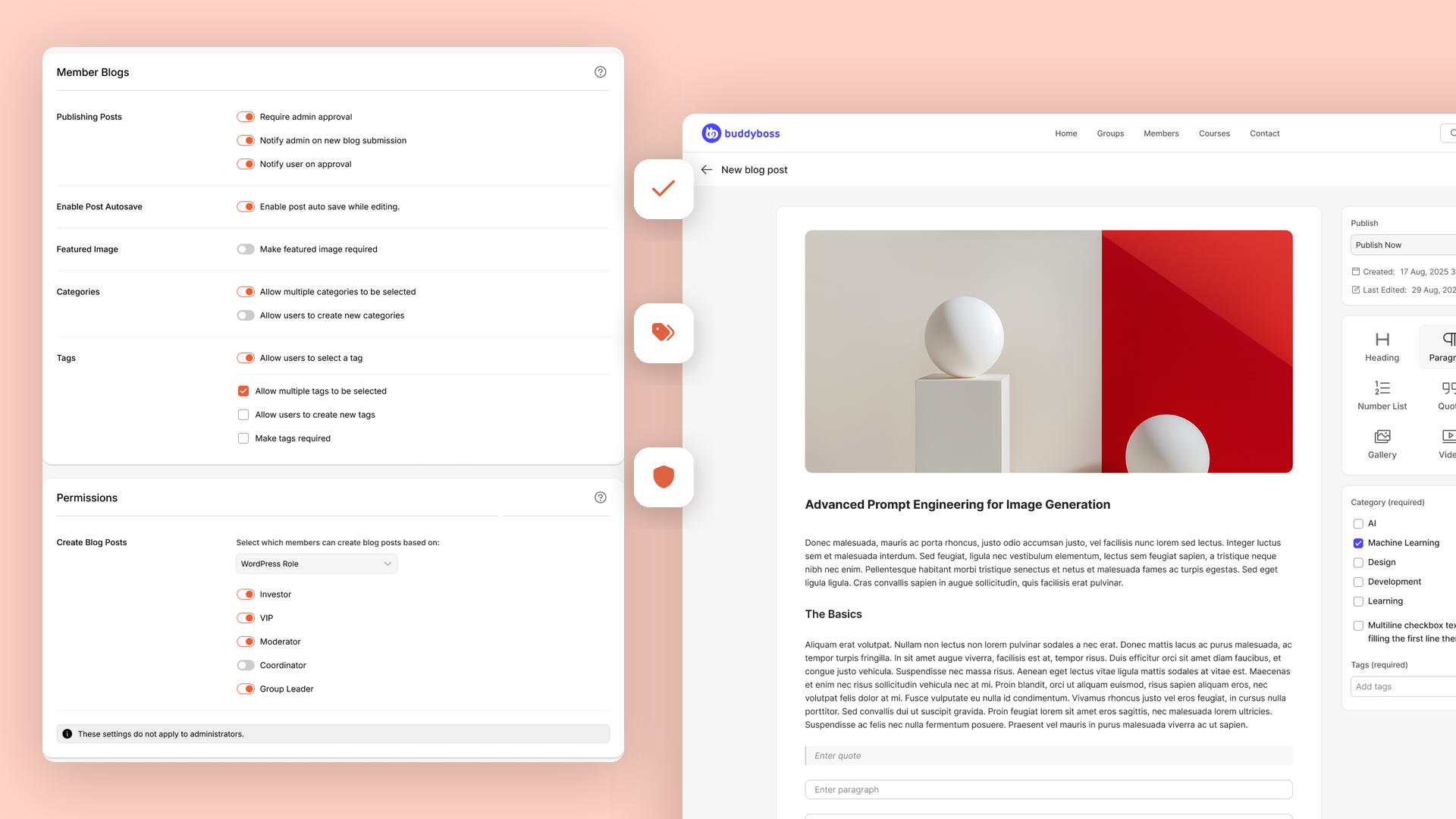
You choose who can create posts using any one of five methods:
- WordPress Role. Based on their assigned role, such as Subscriber or Author.
- Profile Type. Restricted to specific BuddyBoss profile types.
- GamiPress. Based on achievements, points, or ranks, so publishing becomes something members earn.
- Membership. Limited to selected membership plans.
- Gender. Based on their profile field.
That third option is worth sitting with for a second. You can make the right to publish a reward that members unlock by participating. It turns your blog into a status ladder rather than an open submission box.
Administrators can always create and manage posts. Permissions do not apply to them.
You decide what goes live
Under Publishing Posts you get the editorial controls you would expect:
- Require admin approval holds member posts until you have reviewed them.
- Notify admin on new blog submission emails you whenever a member submits something.
- Notify user on approval tells the member once their post is live.
- Autosave periodically saves drafts as members write, so nobody loses an hour of work to a closed tab.
- Require a featured image so every published post looks right in your archive.
You also control the taxonomy. Decide whether members can assign multiple categories, whether they can create new categories of their own, whether tags are enabled, whether multiple tags are allowed, whether members can create new tags, and whether at least one tag is required before a post can publish.
If you want a tightly curated blog, lock it down. If you want a loose, fast-moving community publication, open it up. Both are a settings screen away.
Bookmarking and Blog Subscriptions
Publishing more content only matters if people come back for it. Two new features handle exactly that, and they are available on BuddyBoss Pro as well as Plus.
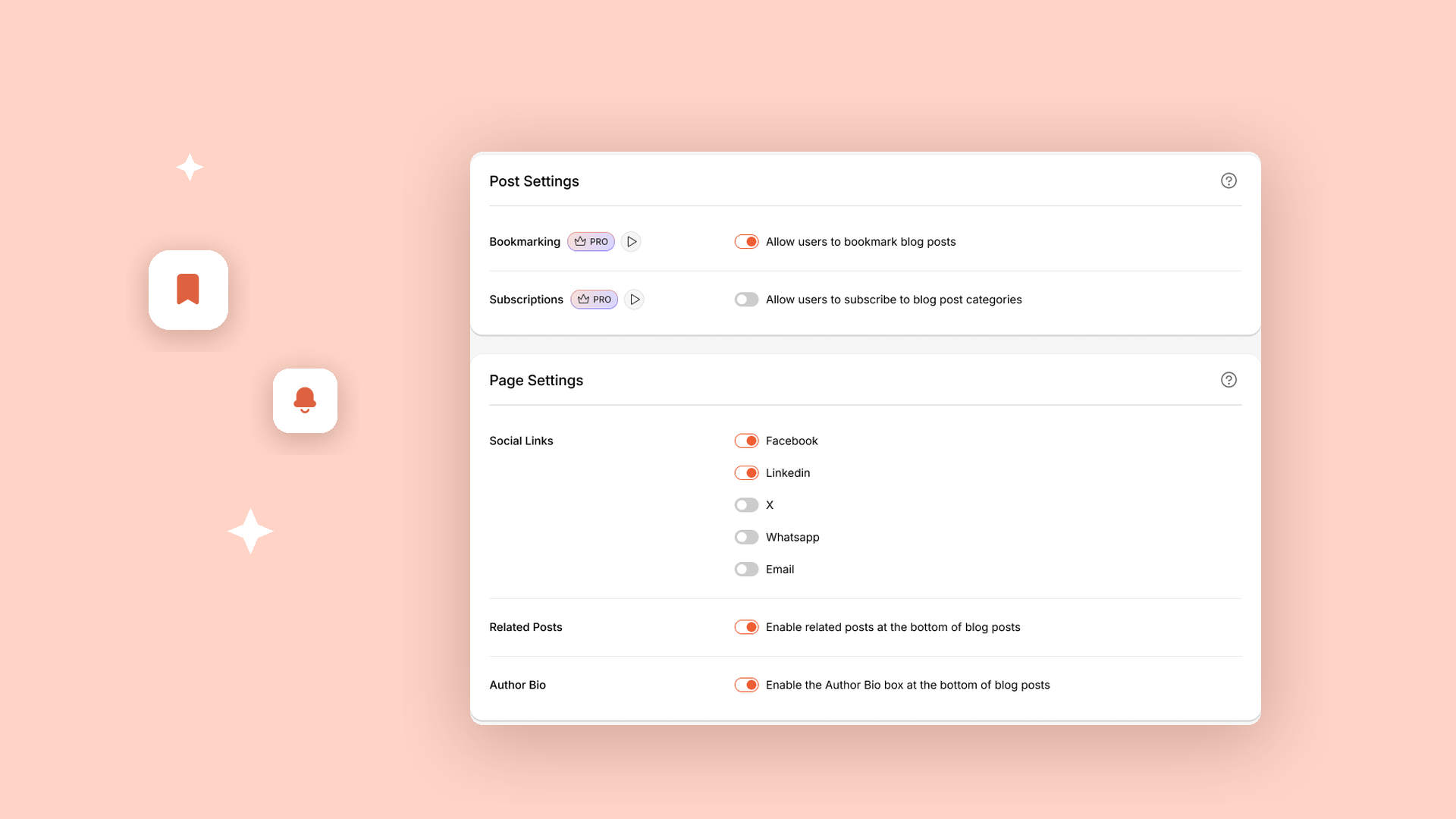
You will find them in the new Blogs module, under BuddyBoss → Settings. There is nothing to install. Open the Blogs module, go to Blog Settings, and both live under Post Settings.
Bookmarking lets members save a post to their profile to read later. It syncs with the BuddyBoss app, so something bookmarked on the web is waiting on their phone.
Blog Subscriptions let members follow a category and get notified whenever a new post publishes in it. Notifications arrive by email and in the notification tray. A member who cares about one narrow topic in your community no longer has to check whether you have posted. They get told.
Members manage what they follow from their own account, so you are not fielding requests to unsubscribe anyone.
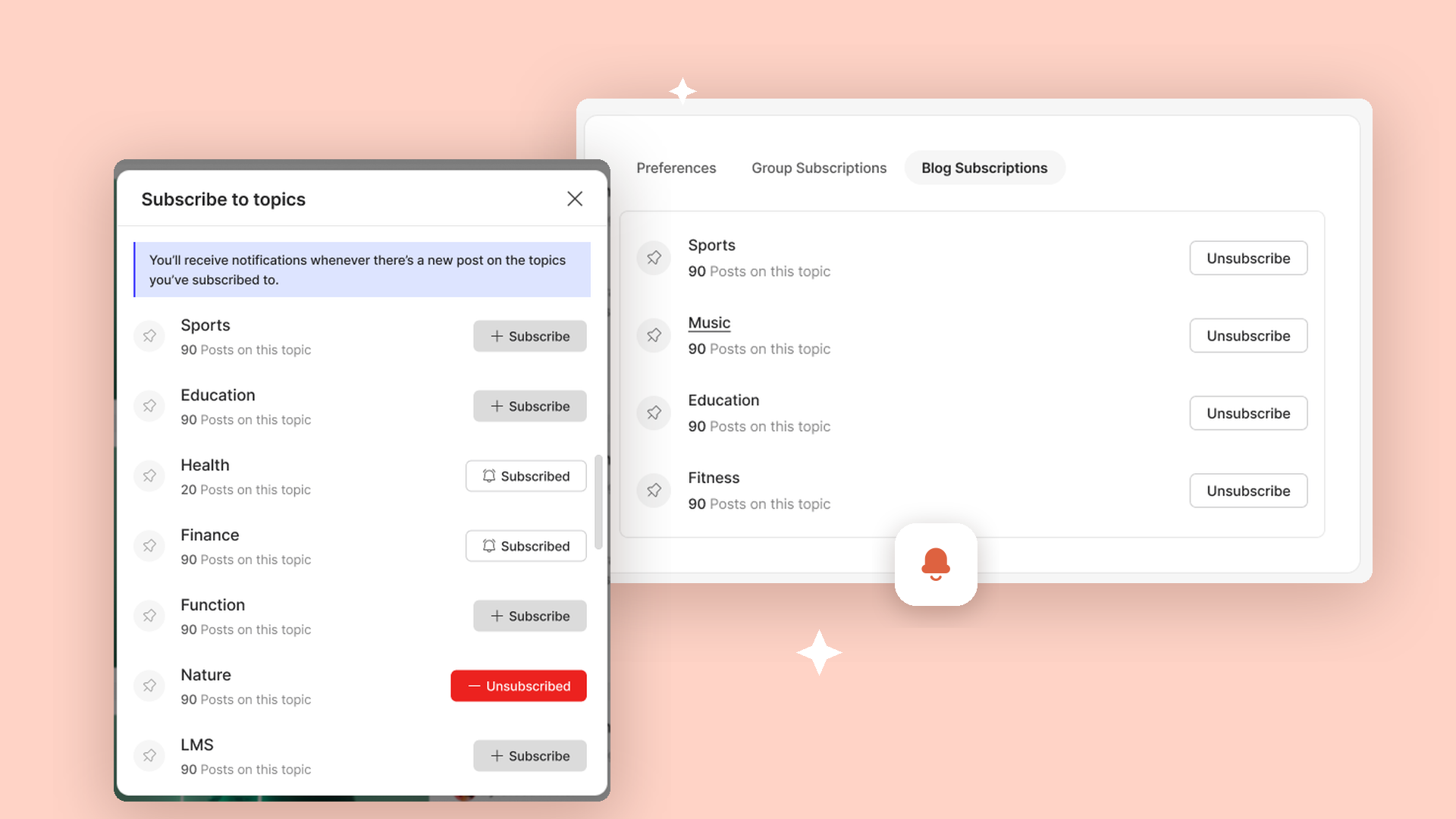
Together these turn a blog from something people stumble across into something people actually follow.
ReadyLaunch blog templates
This one is included in BuddyBoss Platform, so every customer gets it.
Until now, ReadyLaunch styled your community pages: activity, members, groups, forums, messages, profiles, media. Your blog was not part of that. Blog archives and single posts fell through to whatever WordPress theme was active, which meant that clicking from your beautifully styled community into a blog post often felt like leaving the site.
ReadyLaunch now ships with a blog archive template and a single post template. Enable it under BuddyBoss → Settings → Appearance → General → Template Pages and toggle Blogs. Your blog immediately picks up clean, modern styling that matches the rest of your community.
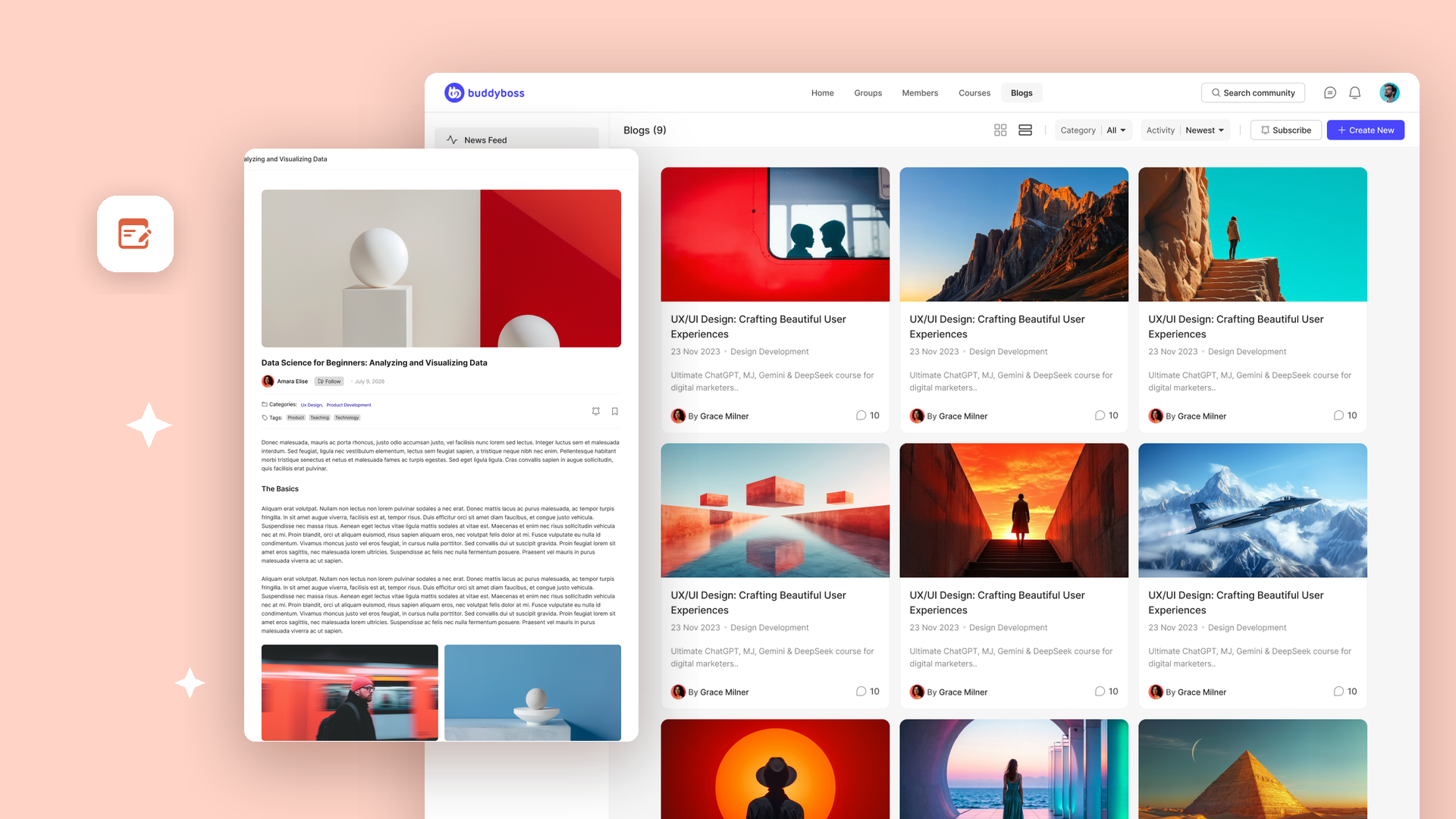
Separately, the new Blogs module adds a Blog Settings screen with three more controls for your post pages:
- Social Links. Choose which sharing options appear on posts, from Facebook, LinkedIn, X, WhatsApp, and Email.
- Related Posts. Show similar articles at the bottom of each post so readers keep reading.
- Author Bio. Display the author’s profile info beneath each post, so readers can see who wrote it and click through to their profile.
That last one matters more than it looks. When members write the posts, the author bio is what makes contributing worth their time.
Why this is bigger than a blog
Three things follow from this that are easy to miss.
Your community’s content stops being invisible
Content members create inside a community usually stays there. It sits behind a login, invisible to search engines, valuable only to people who already found you. Every other community platform works this way.
Member Blogging produces real WordPress posts on your own domain. They are indexable. They work with the SEO tooling you already use. They live on the site you own, not on a platform that rents you an audience.
So when a member writes a genuinely useful post about your subject, that post can bring in the next member. Your community stops being purely a retention asset and starts doing acquisition work as well.
That is not something a closed community platform can copy without rebuilding on WordPress.
Other people’s expertise becomes your credibility
You are almost certainly not the only expert in your community. There are practitioners in there doing the work every day, with case studies, hard-won opinions, and results that you do not have.
When they publish on your site, under their own name with their profile attached, your blog stops sounding like one company talking about itself. It starts reading like a field with real authority in it. Someone who lands on a post written by a working practitioner is being convinced by a person with nothing to sell them, which is worth more than anything you could write about yourself.
This is also why the Author Bio box matters more than it first appears. It is what makes contributing worth a member’s time, and it is what tells a reader the words came from someone who does this for a living.
The right to publish is something you can sell
This is the one worth sitting with.
Publishing permissions can be tied to a membership plan. That means the ability to post on your blog is not only a privilege you grant. It is a product you can package.
A few shapes that takes:
- A sponsor or partner tier that includes publishing rights, with the author bio and profile link that come with them.
- A premium membership where contributing is part of what members are paying for, because visibility in front of your audience is the value.
- A vetted expert tier, where the scarcity of publishing rights is exactly the point.
- An earned tier using the GamiPress option, where publishing is unlocked by participation rather than payment.
You have already built the audience and the domain authority. Access controls turn that into something you can charge for, without selling ads and without handing anyone a login to your dashboard.
Watch it in action
We have two walkthroughs covering the whole thing end to end.
Setting up Member Blogging and configuring Blog Settings:
Member Blogs settings, permissions, and the front-end publishing flow:
How to get started
Start in the same place regardless of your plan. Update your BuddyBoss Platform plugin, then go to BuddyBoss → Settings and find the new Blogs module. Click Settings on that card.
You will see two tabs: Blog Settings and Member Blogs. What you can turn on depends on your plan.
On BuddyBoss Platform
Enable your new blog templates under BuddyBoss → Settings → Appearance → General → Template Pages, and toggle Blogs. Your blog archive and single post pages immediately pick up ReadyLaunch styling.
In Blog Settings you can also turn on Social Links, Related Posts, and the Author Bio box for your post pages. These are free, and they need either ReadyLaunch enabled or the BuddyBoss Theme active, because they render at the template level.
Full walkthrough: Configuring the blog page settings
On BuddyBoss Pro
Everything above, plus bookmarking and category subscriptions. Open Blog Settings and turn both on under Post Settings.
There is nothing to install. These are already in your Platform plugin, waiting on your license.
Full walkthrough: Configuring the post settings
On BuddyBoss Plus
Everything above, plus front-end publishing for your members. This one is a separate add-on.
- Sign in to your BuddyBoss account and go to My Account → Downloads.
- Find Member Blogging and download the latest ZIP file.
- In your WordPress dashboard, go to Plugins, install BuddyBoss Member Blogging, and click Activate.
- Go to BuddyBoss → Settings, find Member Blogging in the BuddyBoss Add-ons section, and toggle it to Enabled.
- Open the Member Blogs tab to set your permissions and approval rules.
Full walkthroughs: How to install and activate Member Blogging · Configuring the member blog settings · Configuring the member blog permissions
One thing to know
As always with WordPress, none of this is automatic. Update your BuddyBoss plugins from your WordPress dashboard first. The new Blogs module will not appear until you do.
Every setting covered above has its own documentation in the Member Blogging section of our knowledge base.
Frequently asked questions
Which BuddyBoss plan do I need for Member Blogging?
Front-end publishing by members requires BuddyBoss Plus, through the Member Blogging add-on. Bookmarking and blog subscriptions are available on BuddyBoss Pro as well as Plus, with nothing to install. The ReadyLaunch blog templates are included in BuddyBoss Platform, so every customer gets those, including on the free plan.
Do members need a WordPress dashboard login to write a post?
No. Members write and publish entirely from the front end of your site, using a block editor built into your community. They never see wp-admin, and you do not have to hand out dashboard accounts to let people contribute.
Can I review member posts before they go live?
Yes. Turn on Require admin approval and member posts are held until you have reviewed them. You can also enable Notify admin on new blog submission to get an email whenever something is submitted, and Notify user on approval so the member hears back once their post is published.
Who is allowed to publish?
You choose, using any one of five methods: WordPress Role, Profile Type, GamiPress achievements, points or ranks, Membership plan, or Gender profile field. Administrators can always create and manage posts, since permissions do not apply to them.
Are member blog posts visible to search engines?
Yes. These are real WordPress posts on your own domain, not content locked behind a community login. They are indexable, they work with the SEO tooling you already run, and they live on the site you own.
Do I need to install anything?
On BuddyBoss Platform and Pro, no. The Blogs module is already in your Platform plugin, so you just need to update the plugin from your WordPress dashboard. On BuddyBoss Plus, front-end publishing is a separate add-on: download Member Blogging from My Account, then Downloads, and install it like any WordPress plugin.